Battery removal*
Follow the steps 1 to 3 to replace the batteries. Disconnect all sources of power before
replacing the battery.
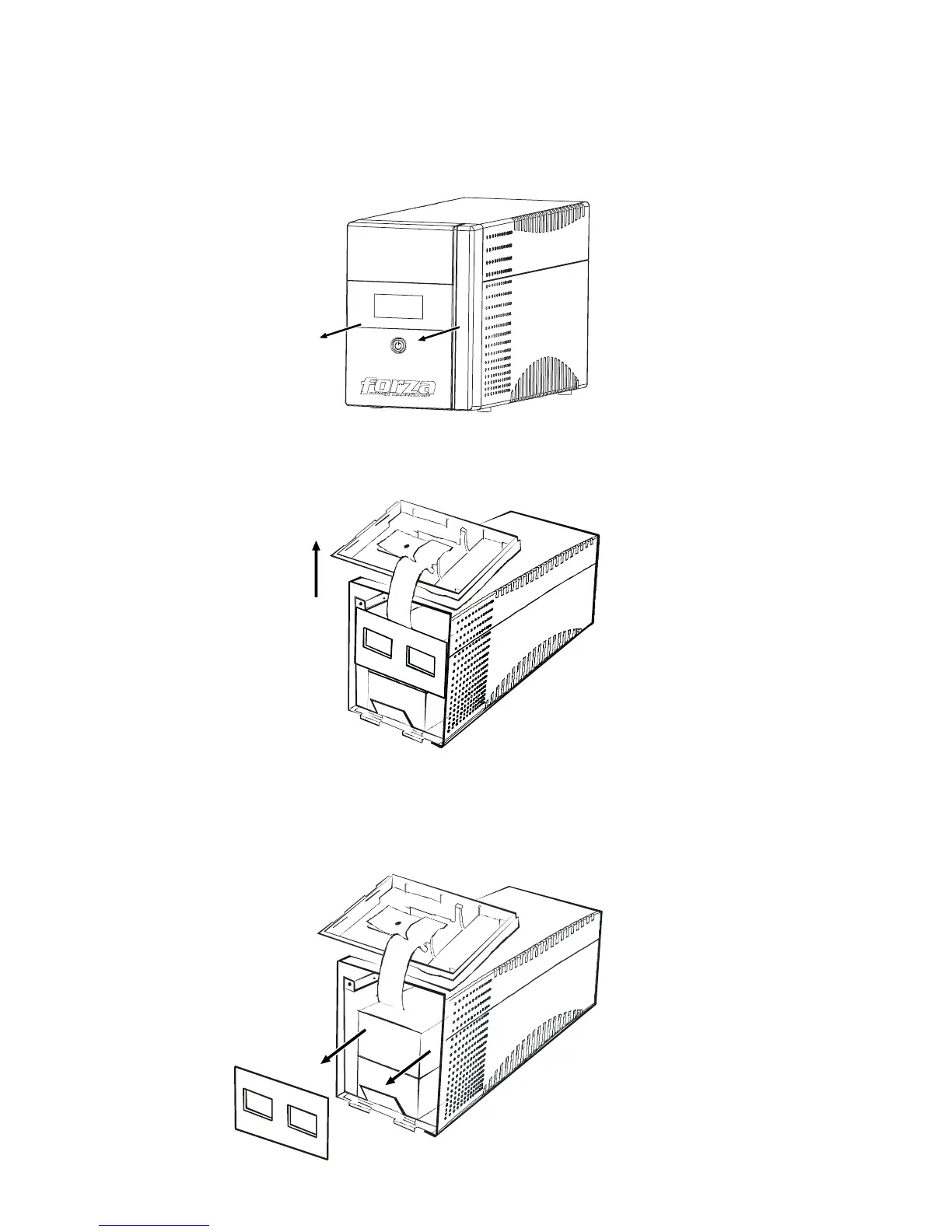
1.
Remove the front panel.
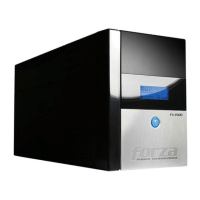
2.
Remove the battery cover.
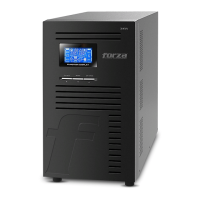
3.
After removing battery cover, gently extract the battery by disconnecting the two wires
connected to the UPS. Be sure to replace the same type of batteries and dispose of old
batteries properly at an appropriate recycling facility.
*Battery removal by technician recommended.



 To Next Page