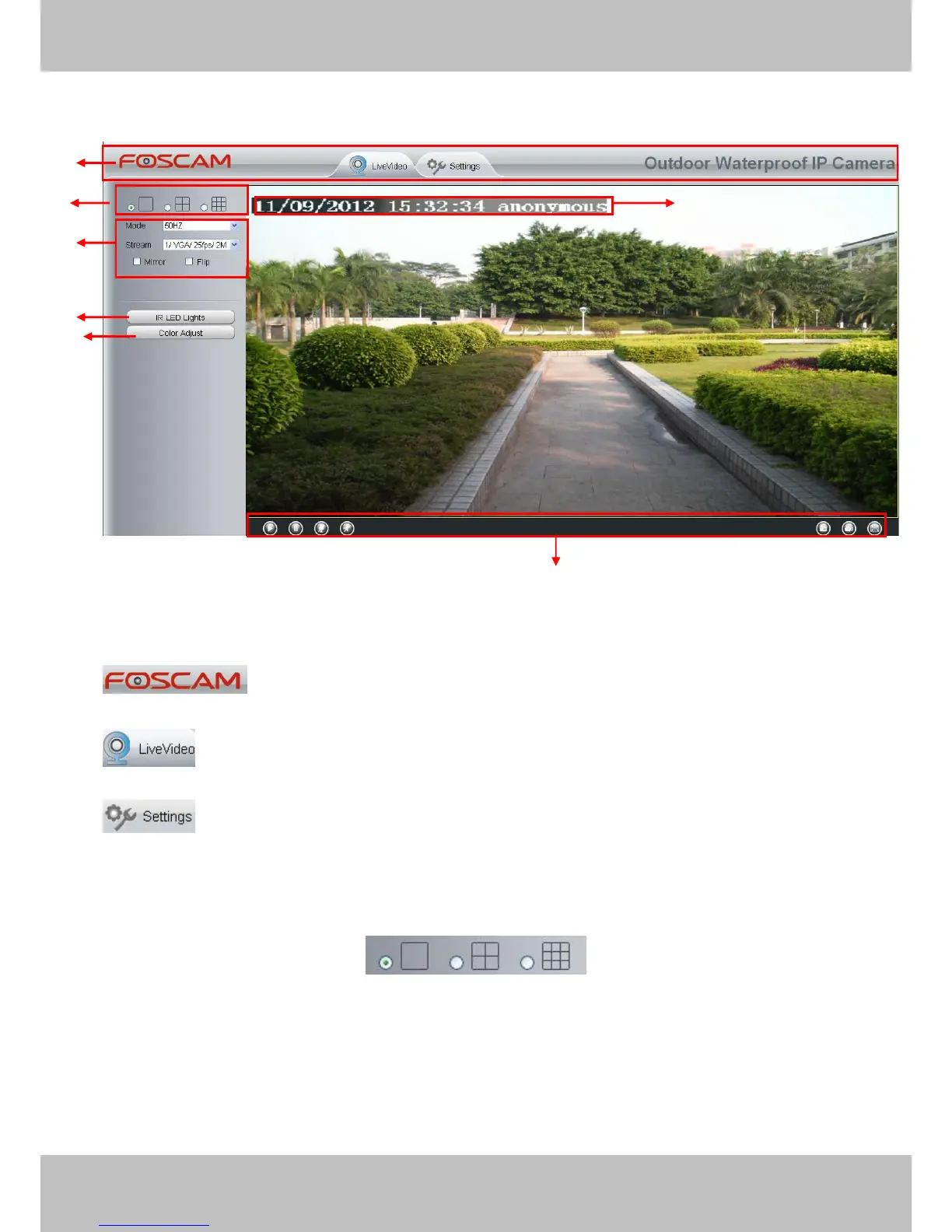
2.2 Surveillance Window
Figure 2.3
Section1 FOSCAM Logo/ LiveVideo / Settings buttons
: FOSCAM LOGO
: Path to surveillance window. Click this button and back to the surveillance window
: Path to Administrator Control Panel, Click it, and it will lead to Administrator
Control Panel and do advanced settings.
Section2 Multi-Device Window
The firmware inside the camera supports up to maximum of 9 cameras being monitoring at the
same time. You can add other cameras in multi-camera panel (read chapter 3.2.5).



 To Next Page