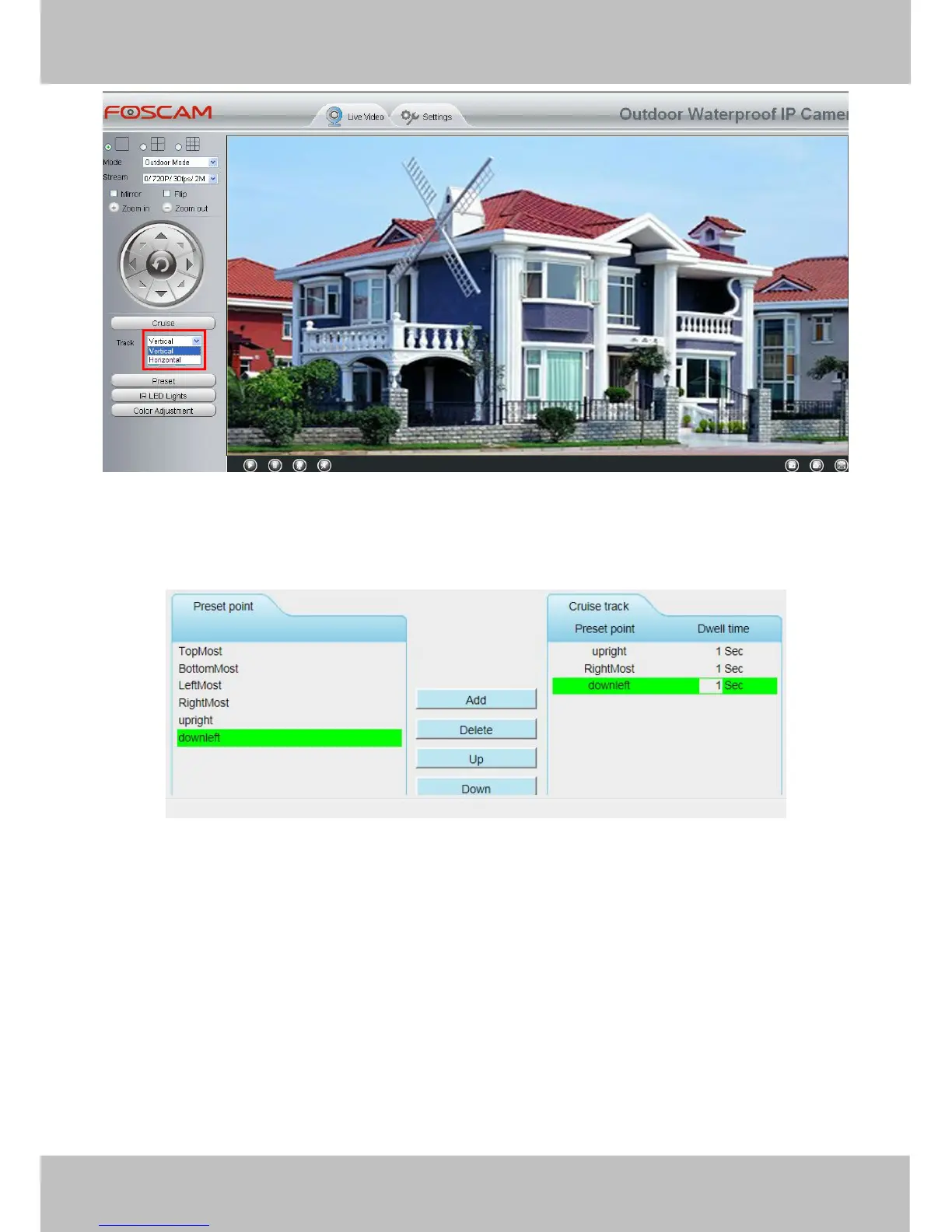
There are other buttons between the Preset points and Cruise track, you can use these buttons to adjust the
order of preset points or add/delete one preset points in one cruise track.
Add: Select one preset points and add it to the selected cruise track.
Delete: Select one preset points you have added to one cruise track, click delete.
Move up/ down: Select one cruise track, adjust the order of preset points in one cruise track.
Attention: Considering the life time and thermal issue of the motor, it’s not recommend to do long-time cruise.
4.7.3 Start-Up Options
Here section will allow you to set the stop position after the camera reboots.
It supports three modes: Disable Start-Up, Go To Home Position and Go To Preset Position.
Disable Start-Up: When rebooting, the camera will not pan / tilt.



 To Next Page