EasyManua.ls Logo

Foscam FI9828P - System Management and Maintenance

Foscam FI9828P
91 pages
Print Icon
To Next Page IconTo Next Page
To Previous Page IconTo Previous Page
Loading...
55
Foscam Digital Technologies
Telephone: 1-800-930-0949 55
w
w
www
www
.foscam.
.foscam.
us
us
4.9 System
In this panel, you can backup/restore your camera settings, upgrade the firmware to the latest version, restore
the camera to default settings and reboot the device.
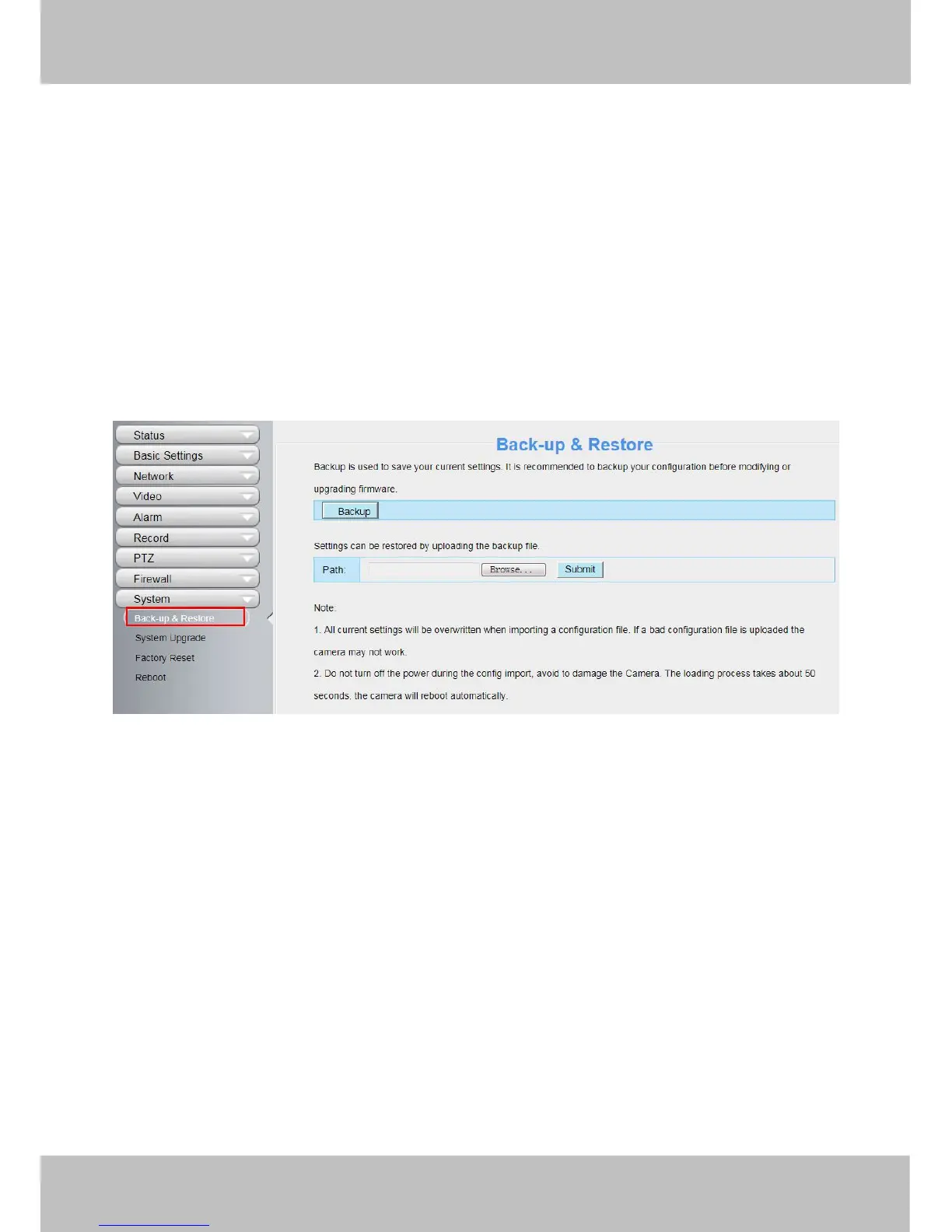
4.9.1 Back-up& Restore
Click Back-up to save all the parameters you have set. These parameters will be stored in a bin file for future
use.
Click Browse and select the parameters file you have stored, then click Submit to restore the restore the
parameters.

Figure 4.76
4.9.2 System Upgrade
Click “Download the latest firmware”, you will see the following screen. And click “save” to save the firmware on
your computer locally.

Other manuals for Foscam FI9828P

Related product manuals