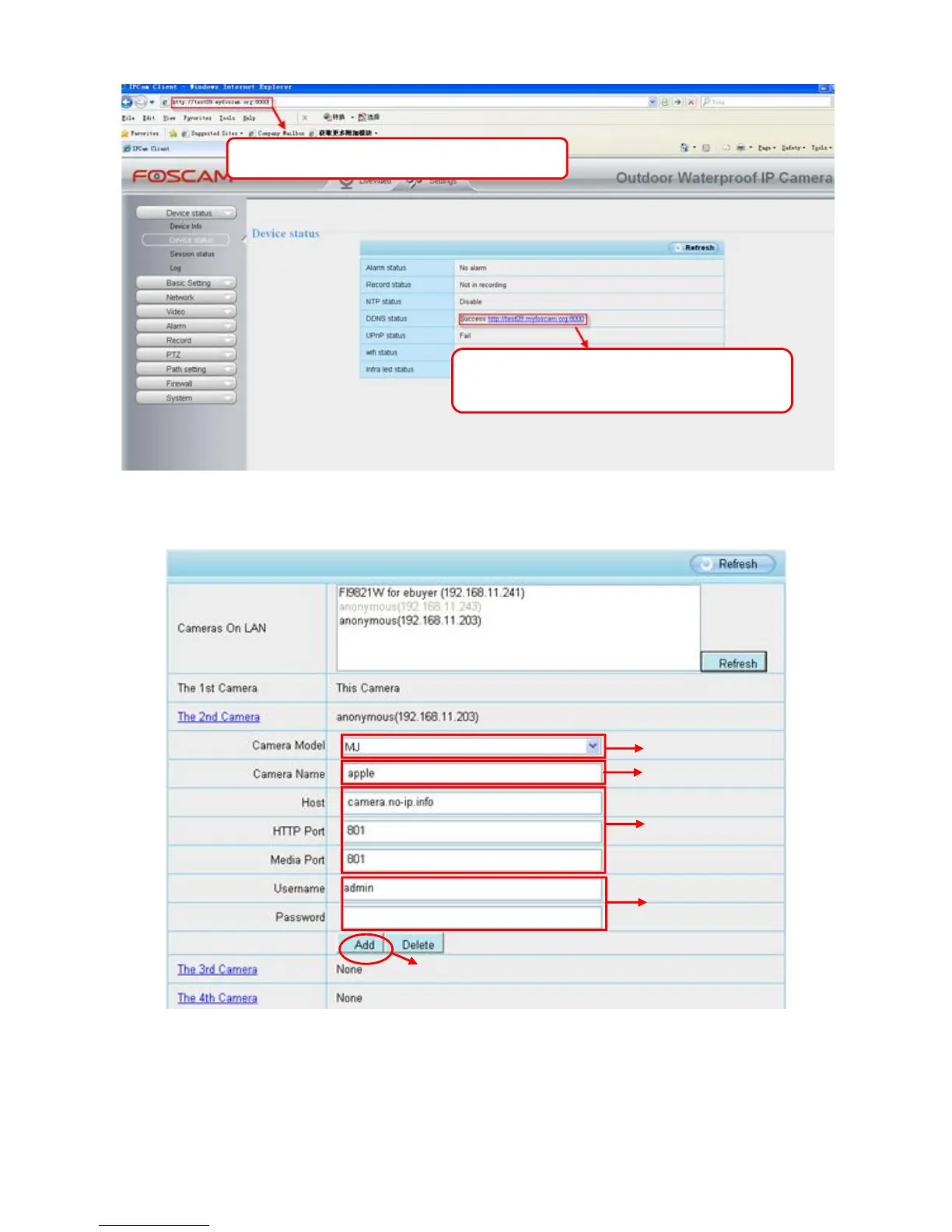
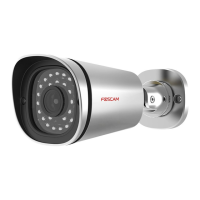
Click Multi-Device Settings. Choose The 2nd Device. Fill in the 2nd camera's name, DDNS domain name, port
number. Enter user name and password and then choose Add.
1----- The camera model: MJ or H.264.
2----- The 2nd camera's name
3----- Fill in the 2nd camera's DDNS host not LAN IP
4 ---- Enter the 2nd camera's user name and password


 To Next Page