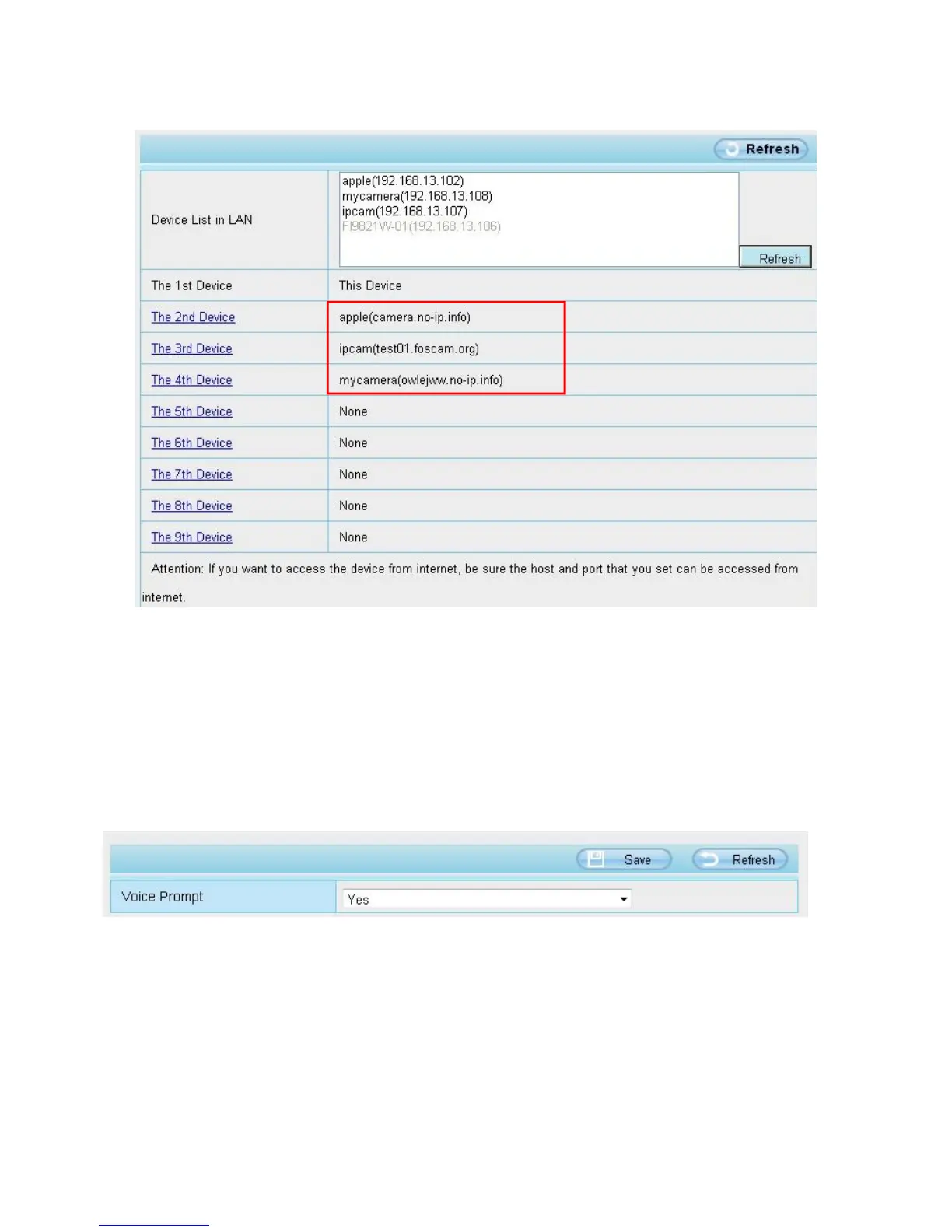
5---- Click Add button and to take effect
NOTE: Here the Host must be entered as the second camera's DDNS domain name, not its LAN IP.
Return to video window. You will see all of the cameras accessible through the internet.
When you are away from home, you can use the first camera's DDNS domain name and port to view all the
cameras via internet.
4.3.5 Voice Prompt
On this page, you can enable or disable voice prompt. Select “Yes” to enable or select “No” to disable.
If select ”Yes”, you can hear the voice prompt after connect the audio output device.
4.4 Network
This section will allow you to configure your camera's IP, PPOE, DDNS, Wireless Settings, UPnP, Port, Mail
Settings and FTP Settings.
4.4.1 IP Configuration
If you want to set a static IP for the camera, please go to IP Configuration page. Keep the camera in the same


 To Next Page