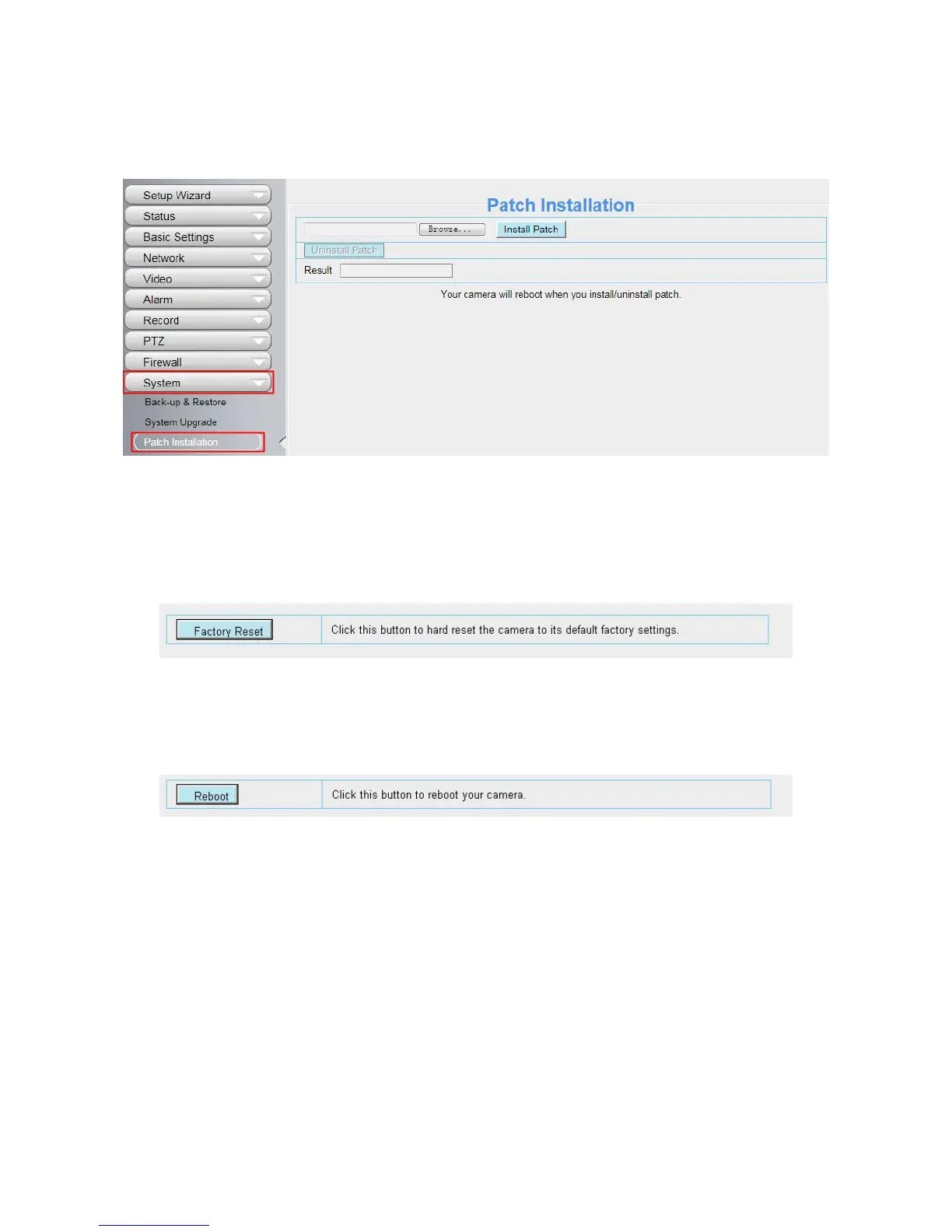
4.10.3 Patch Installation
Click Browse to select the correct patch file, and then click Install Patch to install the patch. Do not turn off the
power during it installing. After installing is complete, you will receive a system prompt.
4.10.4 Factory Reset
Click Factory Reset button and all parameters will return to factory settings if selected.
The default administrator username is admin with a blank password.
4.10.5 Reboot
Click Reboot to reboot the camera. This is similar to unplugging the power to the camera.


 To Next Page