Setting IO alarm
On the IO page, Enable the I/O alarm, select the Send E-mail and Snapshot before you have configured the
mail and FTP.
If an IO alarm is triggered and IO alarm output device will always alarm (sound alarm is issued a warning
sound, alarm lights in flash etc). Click Clear IO alarm output , the alarm output device will stop alarming. If IO
alarm is triggered again after alarm interval, IO alarm output device will be restart.
NOTE: Motion detection alarm can also be triggered IO alarm output.
4.7 Record
4.7.1 Storage Location
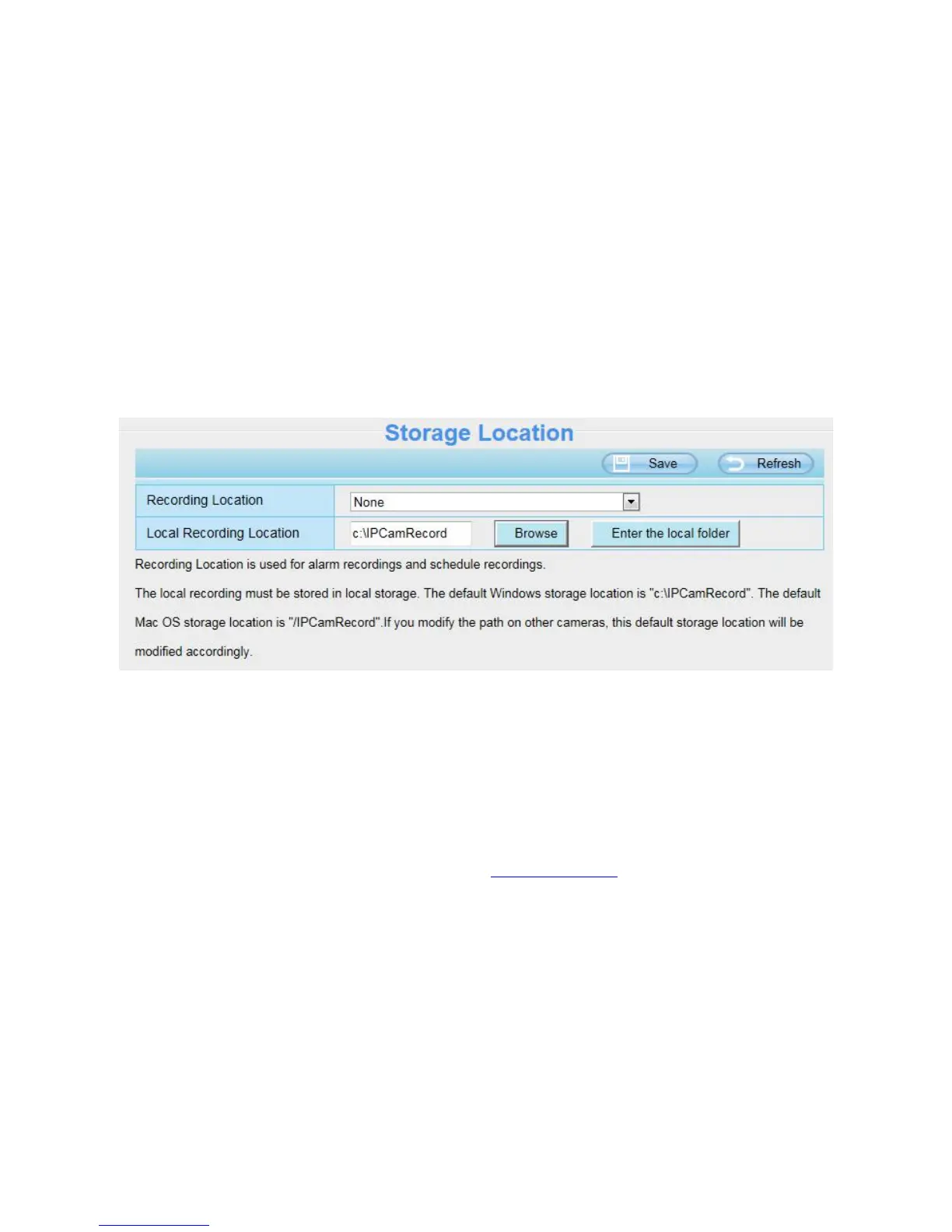
Recording Location: SD card, FTP.
Local Recording Location: For Windows OS, the manual recording path is C:/ IPCamRecord, you can
change another one. For MAC OS, the manual recording path is: / IPCamRecord.
Enter the local folder: Click here,you can enter the local folder.


 To Next Page