4
Wired Connection
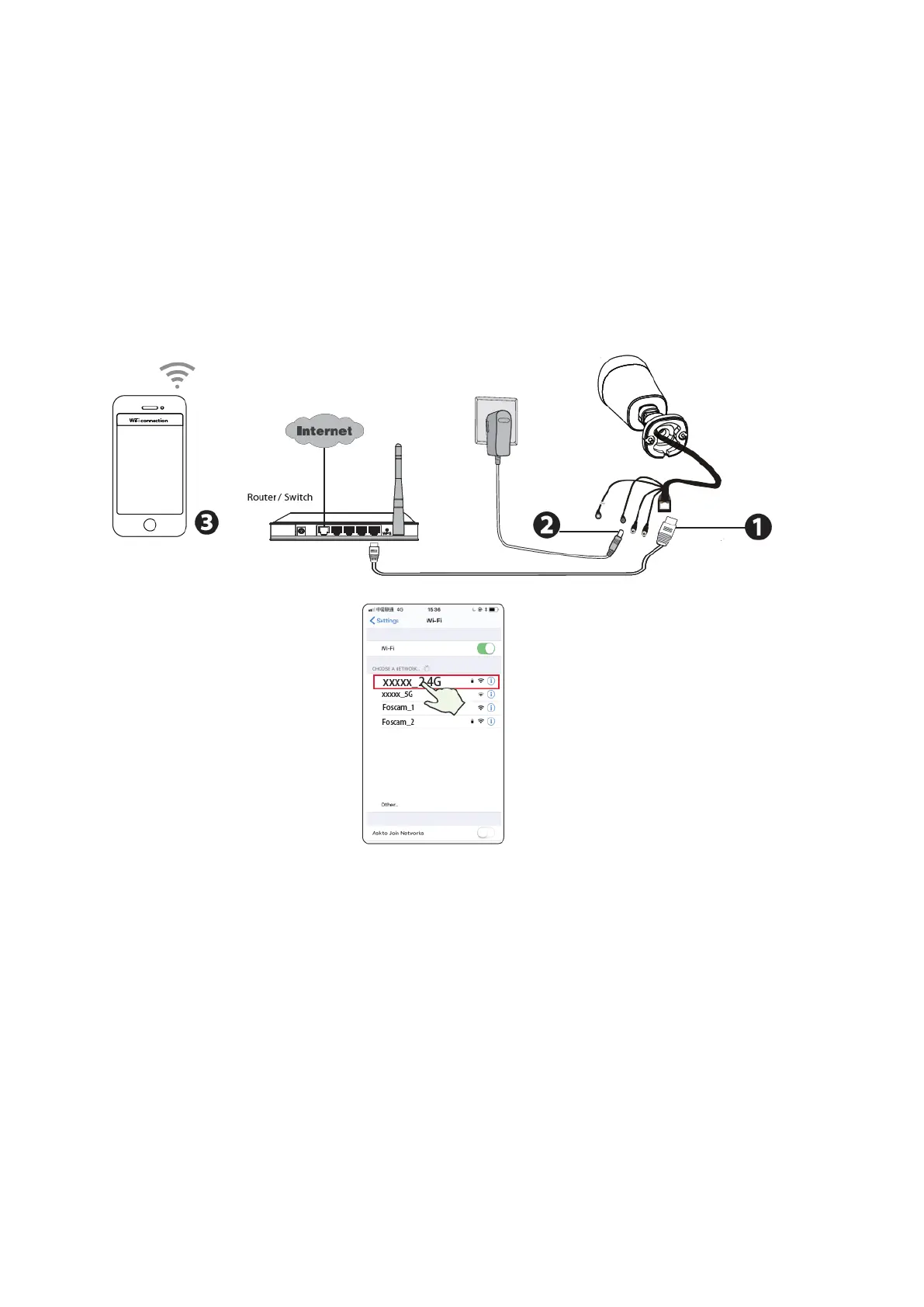
1. Connect the camera to your router with an Ethernet cable.
2. Plug the power adapter into the camera, and then wait for about 1 minute.
3. Make sure your smart phone is connected to the same WiFi network as the
camera.
Tips: You need to connect to the 2.4GHz network if your WiFi router is dual-band—most
newer routers have both 2.4GHz and 5GHz channels. For example, choose SSID:
XXXXX_2.4G.
4. Open the foscam APP and please register a Foscam account, or sign in if you have
one already.
5. After logging into Foscam APP, select “Tap to add a camera” or "+" icon on the
upper right corner, then select "Scan the QR code" and scan the QR code that
labeled at the bottom of your camera.


 To Next Page