10
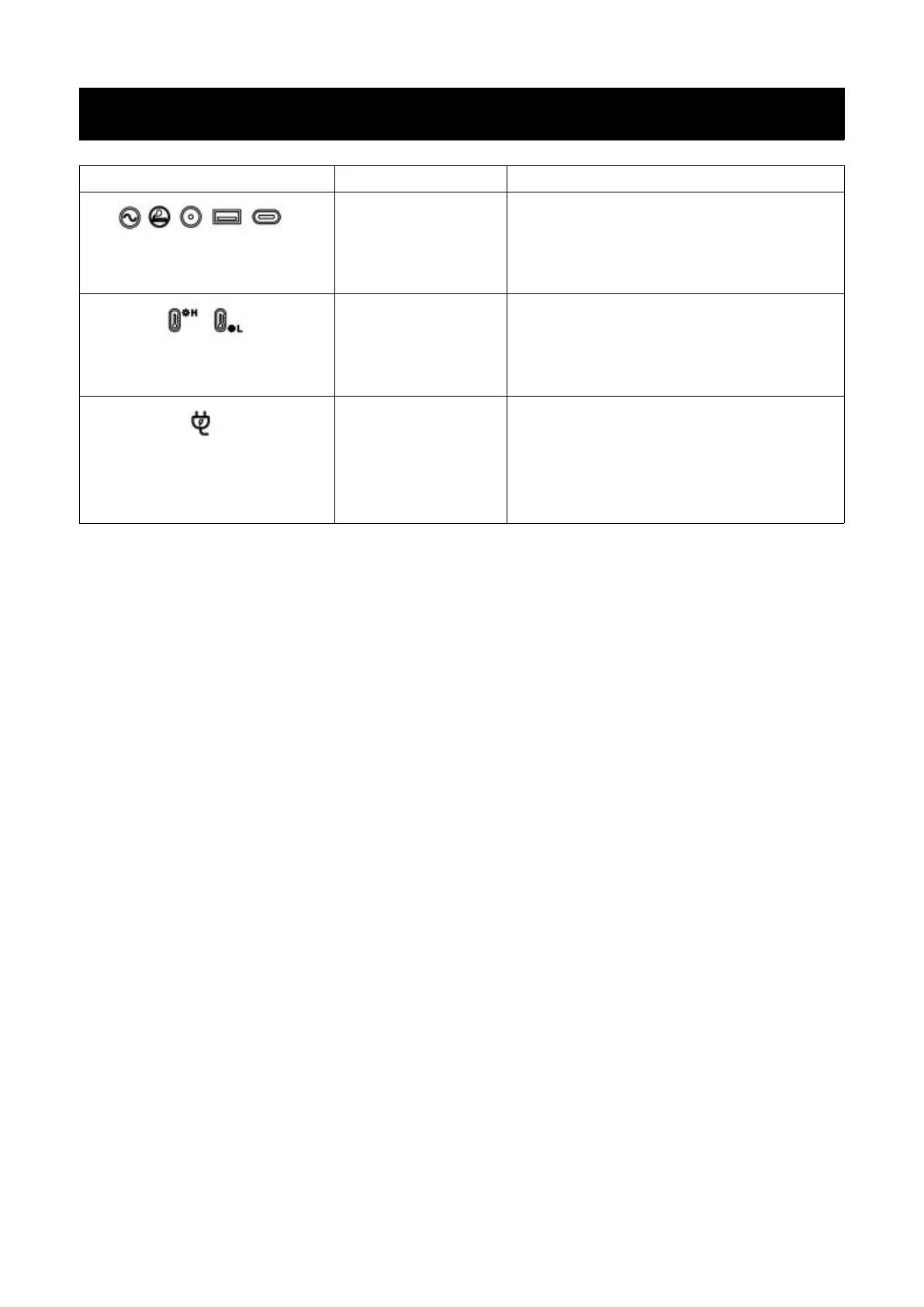
The above output icon flashes
and beeps.
The output exceeds
the standard and it's
short-circuited.
Remove the load, and then short press the
switch in the area corresponding to the
icon to remove the alarm
The temperature warning icon
flashes and beeps.
The temperature of
the product is too
high or too low.
Take the product out of the charging state
remove all loads, turn the power off, wait
for the device to reach a suitable working
temperature, then the alarm is removed.
The icon of connecting to the
AC mains flashes and the
product cannot be charged.
The charging cable
is poorly connected.
The overload protection function is
enabled.


 To Next Page