2
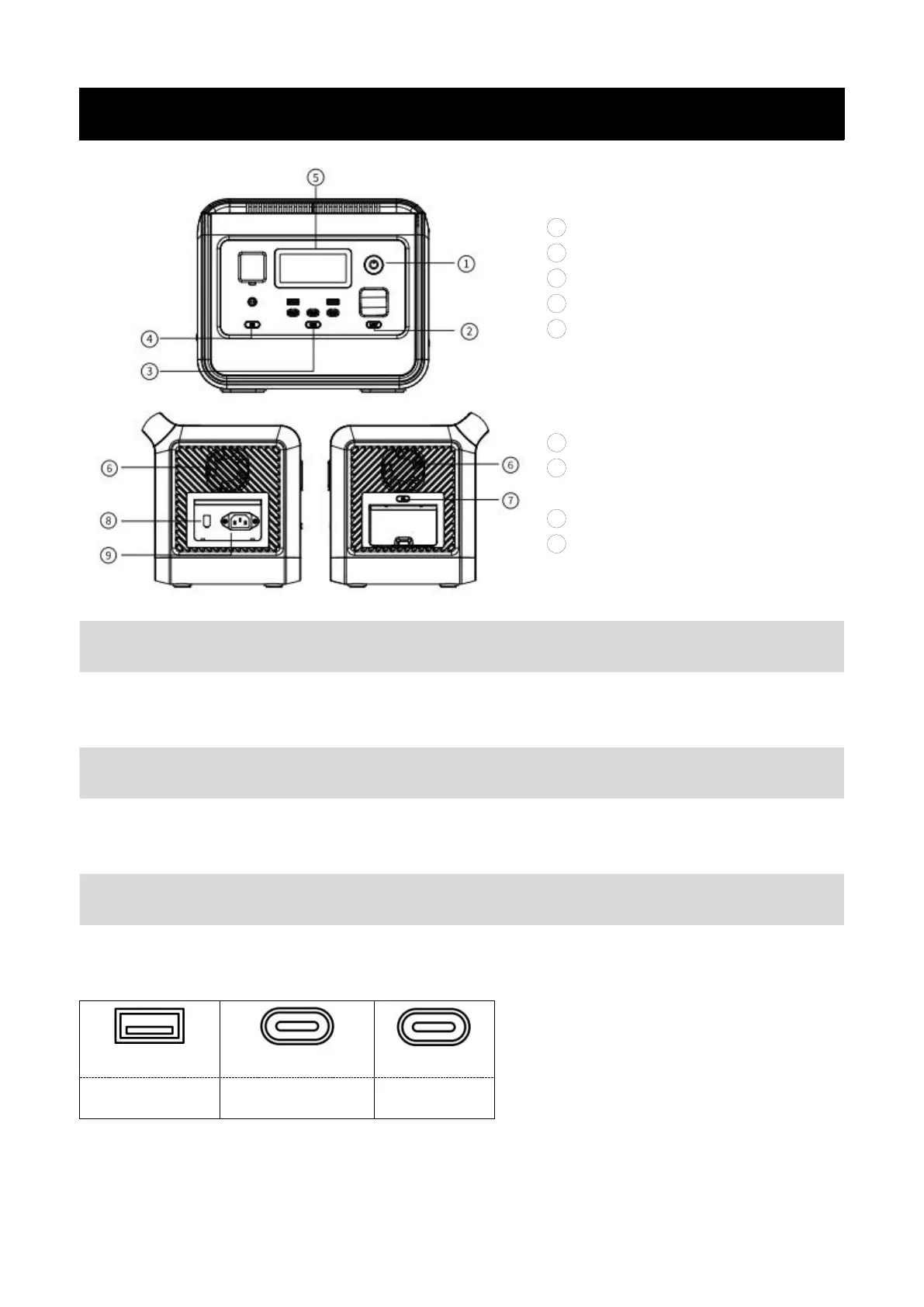
Introduction of Button Function
1 Main power control
2 LED Light control
3 USB control
4 DC control
5 LCD display
6 Air intake/outlet
7 AC on/off control (50Hz/60Hz
switching control)
8 XT60 input port(for solar panel)
9 AC input port
Main Control for the whole system turn on/off.
Operate method: long press the button for 3s to turn on/off the system.
Operate method: short press to turn on and change the light mode (SOS/Flash).
Notice: you can turn off the light by long press the button(1-2s) in any mode.
Operate method: short press to turn on/off.


 To Next Page