REPLACING THE BULB
Important: Unplug the appliance from the electrical power supply.
Check that the oven is at room temperature, otherwise wait for it to cool.
Remove the side rack.
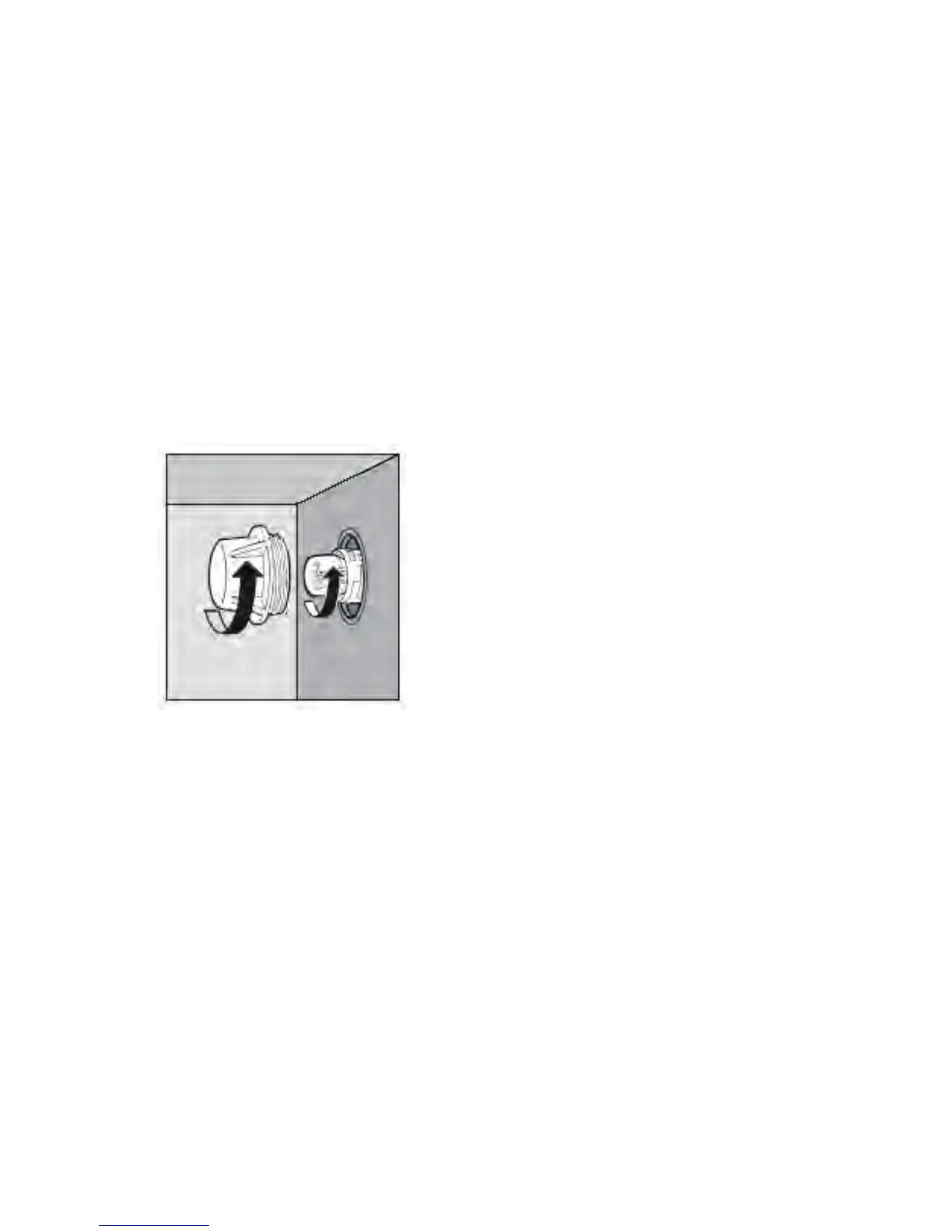
To replace the oven bulb B, remove the protective cover A by turning it anti-clockwise.
Replace the burnt-out bulb and fit the protective cover back in place A.
Note: Use only 25 W, E-14 type, T 500°C bulbs.
The lamp used in this appliance is a ‘special purpose lamp’ intended only for the usage
with this appliance; is not intended for household room illumination.
AB
56



 To Next Page