EasyManua.ls Logo

Foster Prep Station PS1000HR - User Manual

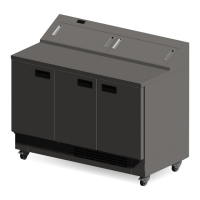
Foster Prep Station PS1000HR
20 pages
Print Icon
To Next Page IconTo Next Page
Loading...
PS1000HR, PS1400HR
User Manual
Prep Station
Question and Answer IconNeed help?

Do you have a question about the Foster Prep Station PS1000HR and is the answer not in the manual?

Overview

This document is a user manual for the Foster Prep Station models PS1000HR and PS1400HR, which are commercial refrigeration appliances. The manual outlines four key steps to extend the life of the appliance: getting to know it, installation, using it, and maintenance.

Function Description:

The Foster Prep Station is a commercial refrigeration appliance designed for food preparation and storage. It is intended to maintain specific internal temperatures suitable for preserving food items, typically in a professional kitchen environment. The appliance features multiple compartments, likely for different types of food or ingredients, and a worktop area for preparation. The design suggests it is a robust unit, built for demanding commercial use, with an emphasis on hygiene and ease of cleaning.

Important Technical Specifications:

The manual provides a "Climate Class" table, indicating the ambient temperature and relative humidity conditions under which the appliance is designed to operate.

  • Climate Class 4: Suitable for ambient temperatures up to 30°C and relative humidity of 55%.
  • Climate Class 5: Suitable for ambient temperatures up to 40°C and relative humidity of 40%.

These specifications are crucial for ensuring the appliance operates efficiently and effectively in its intended environment.

The weight of the appliances is also specified for packaging removal:

  • PS1000HR: Weighs up to 130kg when empty.
  • PS1400HR: Weighs up to 180kg when empty.

This information is important for safe handling and installation, indicating that the PS1000HR requires at least 2 people for handling, and the PS1400HR requires at least 4 people.

Electrical Safety:

The appliance must be connected to an electrical supply protected by a Residual Current Device (RCD). A residual current circuit breaker (RCCB) type socket or a Residual Current Circuit Breaker with overload protection (RCBO) supplied circuit may be used. If the fuse needs replacement, it must be of the value stated on the serial label for the appliance.

General Safety:

Several general safety guidelines are provided:

  • Do not store explosive substances or aerosol cans with flammable propellant.
  • Keep all ventilation openings clear of obstructions.
  • Do not use electrical appliances inside the storage compartment.
  • Do not use steam cleaners, pressure washers, or other jets/sprays of water on or around the appliance.
  • The appliance door should not be left open for extended periods unless specifically designed for that purpose.
  • The appliance is heavy and should not be moved over uneven surfaces without assistance.
  • The emitted sound level of the appliance is not greater than 70dB(A).
  • The appliance should be located on a flat, level surface.
  • The worktop should not be sat or stood on.
  • Care should be taken not to damage the refrigeration circuit and/or system.
  • If the supply cord is damaged, it must be replaced by the manufacturer, its service agent, or similarly qualified persons.
  • Care should be taken to avoid prolonged contact with cold surfaces with unprotected body parts, and PPE should be used at all times.

Disposal Requirements:

The appliance contains components and materials that can be harmful to the environment if not disposed of correctly. Disposal should be carried out by a suitably licensed waste contractor in accordance with national laws and regulations.

Usage Features:

The appliance includes a display with icons and buttons for operation.

  • Display Icons:
    • Icon 1: Alarm Warning
    • Icon 2: Thermostat Output Active
    • Icon 3: Fan Output Active
    • Icon 4: Defrost Output Active
    • Icon 5: 2nd Parameter Set Active
  • Buttons:
    • Button 1: Info & Set Point
    • Button 2: Manual Defrost & Decrease Value
    • Button 3: Increase Value
    • Button 4: Standby/Exit

Standby Function:

Pressing button 4 for 3 seconds will turn the unit on or into standby. When operating normally, the display shows the internal temperature.

Set Point:

The display shows the temperature, and pressing and holding button 1 allows adjustment of the set point. Button 1 is used to release the new value. Keypad security settings may be in place, requiring button 1 to be pressed until 'Loc' is displayed, then button 1 again to show the current lock condition. Buttons 2 or 3 change the display to either lock or unlock the controller. Button 1 and either 10 seconds or button 4 are used to resume normal operation.

Defrost:

The appliance has an automatic defrost function and will defrost periodically without user intervention. Manual defrost can be initiated by pressing button 2.

Shelves, Supports, Loading and Air Flow:

The appliance is supplied with adjustable, removable shelf clips and shelves. Each shelf is capable of holding up to 40kg of product evenly distributed. It is important not to block air vents with product. A minimum of 25mm should be maintained between the top of the product and the shelf above. Product should be placed on the base of the appliance if it is required to store product on the base. Foster parts team can be contacted to purchase necessary shelf and spacers. Adequate airflow is maintained around the perimeter of the shelves and around all stored products.

Shelf Fitting:

The PS1000HR comes with 4 shelves, and the PS1400HR with 6 shelves. The manual illustrates how to insert the top clip into the desired shelf position and compress the clip to insert into the lower slot. Additional shelves can be purchased (PS1000HR X 16, PS1400HR X 24).

Maintenance Features:

Cleaning and Maintenance:

  • Important: The appliance is heavy. Ensure correct PPE is available and utilized. The appliance must be switched off and disconnected from the power supply before cleaning. Do not disconnect or connect the appliance from the power supply with wet hands.
  • Cleaning should be carried out periodically as required.
  • Switch off the appliance, disconnect from the power supply, and remove all products, racking, and shelves.
  • Care should be taken with the racking and shelves, inspecting for signs of damage resulting in sharp edges.
  • When cleaning a freezer, the internal temperature is allowed to increase above freezing prior to cleaning.
  • Wash all internal and external surfaces with a mild liquid detergent diluted as per the manufacturer's instructions. Rinse surfaces with clean water and dry thoroughly.
  • Never use wire wool, other abrasive substances, cleaning agents with a high acid or alkaline content (e.g., bleach acid or chlorine), or similar products as they can damage the appliance.
  • When the appliance has been cleaned and dried, refit the racking and shelves.
  • To reconnect the appliance to the power supply, adhere to previous guidelines, switch the appliance on, and allow it to reach its normal operating temperature before re-loading product.

Condenser Air Grill Cleaning:

Use a soft brush or vacuum to remove loose dust and dirt from the Condenser Air Grill.

Condenser Cleaning:

Regular cleaning of the condenser (located behind the Condenser Air Grill) increases energy efficiency and prolongs the life of the appliance. Never use a wire brush, abrasive, or corrosive materials to clean the condenser. This should be carried out periodically by a competent engineer as outlined in the Regular Maintenance section.

Gasket Maintenance:

All door gaskets should be inspected on a regular basis and replaced if necessary if damaged. To clean, wipe with a warm damp soapy cloth followed by a clean damp cloth.

Shelves Maintenance:

The shelves in the appliance can be removed for cleaning. The shelves are dishwasher safe; however, the vertical supports should be cleaned with warm soapy water, then rinsed and dried.

Regular Maintenance:

The regular cleaning regime described above does not remove dirt or grease deposits from the condenser. It should be cleaned by a competent engineer. Foster recommends an engineer services the appliance every 6-12 months to maintain warranty and ensure optimal performance. Service is carried out by an authorised Foster agent or by contacting the Foster service team.

Troubleshooting:

The manual includes a troubleshooting section with common problems, checks, and solutions:

  • Alarms/Warnings: During operation, the current temperature inside the appliance will be displayed. If there's a particular appliance operation or fault, indicators will show.
  • dEF: Defrost in progress. This is normal and the appliance will carry out a defrost periodically through each 24 hours. The contents of the appliance will be unaffected by this operation.
  • oFF: The appliance is switched off in standby. Turn the appliance back on to resume temperature control.
  • hi: The internal temperature of the appliance is higher than it should be. Ensure the door is closed and that the air flow inside is not obstructed by excessive or poor loading of product. If the alarm persists, contact an authorised dealer or Foster Service.
  • E1: This indicates that the internal temperature probe has failed. Call an authorised dealer or Foster Service to arrange for replacement. During this time, the appliance cannot maintain an accurate temperature, and all product should be removed and the appliance switched off.
  • Problem: The appliance is not functioning.
    • Check: Is the appliance plugged in and the socket switched on? Has the fuse blown?
    • Solution: If the appliance is plugged in, check that the socket is 'live' by plugging another appliance in. Check the fuse and if necessary, change it for a new one.
  • Problem: The appliance is not cooling or it is not reaching the required temperature.
    • Check: Is the appliance switched on? Is the condenser blocked or dirty? Is the appliance positioned close to a heat source? Is the appliance loaded correctly?
    • Solution: Check that the temperature is displayed. If the display shows 'oFF', switch on the appliance as it is in standby. Inspect and clean the condenser. Inspect and clean the condenser if necessary as described in this manual. Is the heat source affecting the performance of the appliance? If possible, move the appliance away from the heat source. Check the loading of the product contained in the appliance in accordance with the guidelines in this manual.
  • Problem: There is something other than the temperature displayed on the controller.
    • Check: Is the display showing one of the alarms/warnings above?
    • Solution: The display may show indications shown in the Alarms and Warnings section of these instructions. For anything else, contact your authorised dealer or Foster Service.

If the malfunction cannot be identified, disconnect the electrical supply from the unit and contact your authorised dealer or Foster Service. When requesting a service call, please quote the model and serial number which can be found on the inside of the appliance on the right hand wall.

Foster Prep Station PS1000HR Specifications

General IconGeneral
BrandFoster
ModelPrep Station PS1000HR
CategoryRefrigerator
LanguageEnglish

Related product manuals