EasyManua.ls Logo

Fostex 1240 - Table of Contents; Introduction

Fostex 1240
22 pages
Print Icon
To Next Page IconTo Next Page
To Previous Page IconTo Previous Page
Loading...
TABLE
OF
CONTENTS
PAGE
SECTION
1
Introduction
2
SECTION
2
Name
and
Function/Operation
of
4
Controls
and
Switches
SECTION
3
Connections
with
External
Equipment
7
SECTION
4
Parametric
Equalizer
8
SECTION
5
Interconnections
with
Various
9
Processors
SECTION
1
.
INTRODUCTION
Thank
you
for
purchasing
a
Fostex
40-Series
Mixer.
Model
1240
has
12
inputs,
Model
1840,
18
inputs,
and
Model
2440,
24
inputs.
All
other
features
are
common
to
the
series.
These
consoles
are
particularly
well-suited
for
multitrack
recording
and
production/assembly
applications,
but
they
are
also
useful
for
PA
and
sound
reinforcement.
Features
include
phantom
powering,
complete
stereo
solo
monitoring,
four
channels
of
AUX
SEND
for
effects
processing
and
switchable
line
inputs
for
tape
returns/
musical
instruments.
Both
signals
can
be
monitored
simultaneously
without
sacrificing
double
input
channels.
A
unique
feature
of
these
mixers
is
the
fader
(patent
applied
for).
Made
of
a
conductive
rubber
roller
assembly,
the
action
is
much
smoother
and
more
accurate
than
the
conventional
brush
type
fader,
plus
this
new
design
will
last
longer
and
perform
more
quietly
47^V
p-p.
In
order
to
use
this
sophisticated
electronic
device
to
its
maximum
potential,
please
read
this
owner’s
reference
manual
thoroughly.
With
proper
use
and
maintenance,
you
will
enjoy
many
years
of
satisfied
performance.
PAGE
SECTION
6
Multitrack
Recording
10
SECTION
7
Other
Methods
of
Operation
17
SECTION
8
Trouble
Shooting
18
SECTION
9
Notes
on
After
Service
18
SECTION
10
Specifications
19
SECTION11
Block
Diagram
20
SAFETY
PRECAUTIONS
When
switching
on
power
to
this
unit,
always
be
sure
it
is
switched
on
before
switching
on
power
to
the
peripheral
equipment
to
which
the
output
is
connected
to
prevent
damage
to
the
speaker
by
a
large
noise
from
the
monitor
amplifier
or
to
avoid
shock
to
other
equipment
(recorder,
etc.).
Also,
when
plugging
or
unplugging
cables
to
the
input
and
output
jacks,
be
sure
the
faders,
gain,
or
trim
levels
are
set
to
minimum
(-
oo,
0
etc.).
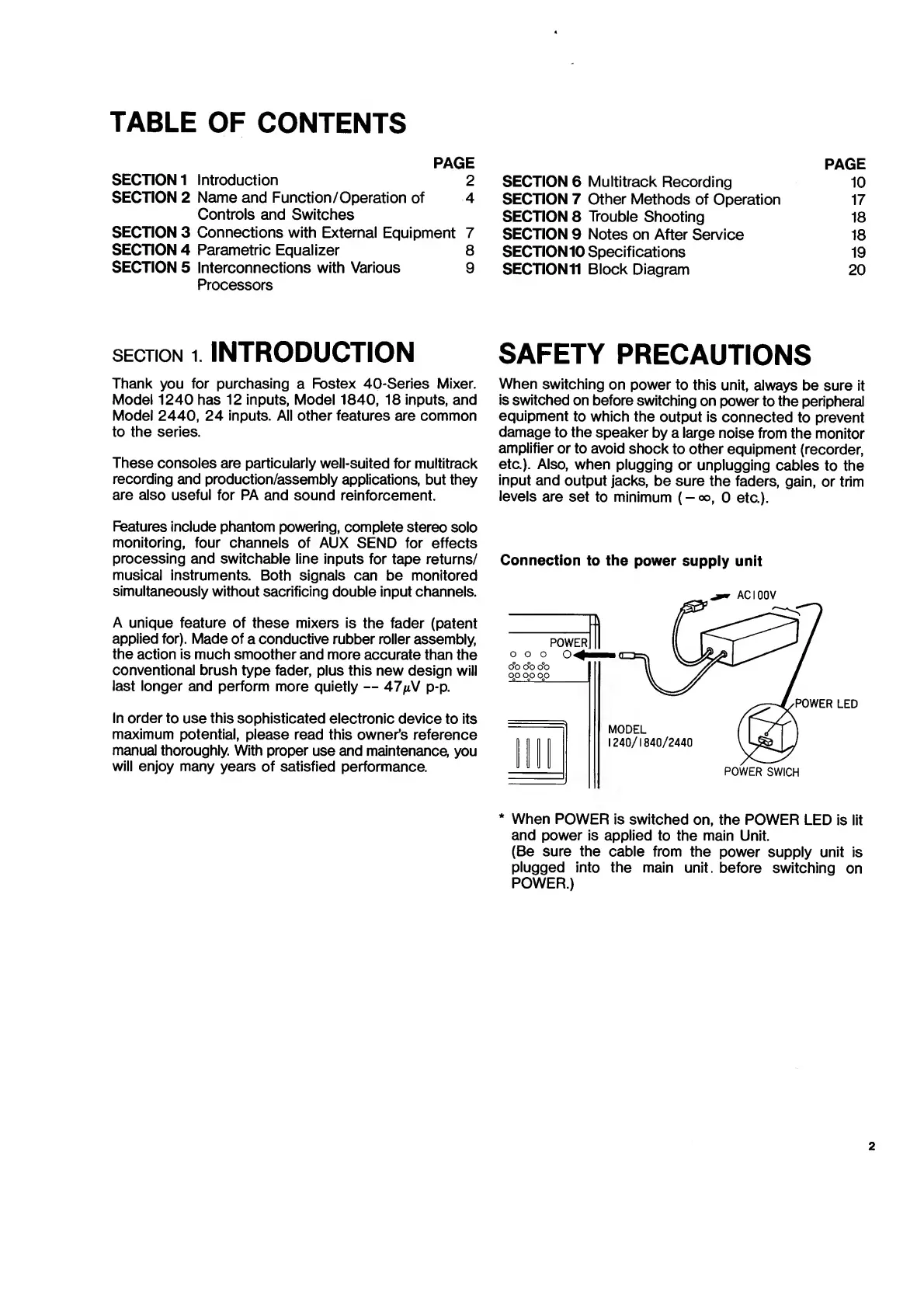
Connection
to
the
power
supply
unit
*
When
POWER
is
switched
on,
the
POWER
LED
is
lit
and
power
is
applied
to
the
main
Unit.
(Be
sure
the
cable
from
the
power
supply
unit
is
plugged
into
the
main
unit,
before
switching
on
POWER.)
2

Related product manuals