45
D-108 Owner’s Manual (Punch In/Out Recording)
<Hint>
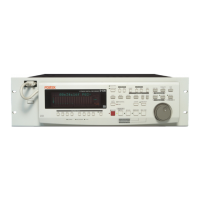
You can use the PLAY button and the RECORD button, instead of using the foot switch. Follow the steps below.
This method also does not allow you to record another take unless you stop the D-108 first.
Procedure:
1. Press the PLAY button to start playback from a point slightly before the Punch In point.
2. Press the RECORD button while holding down the PLAY button at the desired Punch In point. (Punch In recording
starts.)
3. Press the PLAY button at the desired Punch Out point. (Recording is punched out.)
• If you press only the RECORD button in both steps 2 and 3, you can rehearse Punch In/Out.
Undo/Redo Manual Punch In/Out recording
You can undo or redo Manual Punch In/Out recording.
Press the UNDO key after recording is complete to restore the conditions that existed prior to the recording.
Press the REDO key again to restore the conditions that existed after the recording. Follow the notes below:
Note-1: The Undo/Redo function is effective only when the D-108 is stopped.
Note-2: The Undo/Redo is ineffective if you perform one of the following operations after you finish recording.
• When a new recording is made.
• While a new editing is executed (such as Copy & Paste, Move & Paste, or Erase).
• When in the AUTO PUNCH ON mode, when the AUTO PUNCH IN point is passed in the PLAY (or RECORD)
mode.
• When the power is momentarily switched off.
• When the program is changed.
• When ejecting a removable SCSI disk that is the current drive.


 To Next Page