EasyManua.ls Logo

Fostex G16S - Page 12

Fostex G16S
107 pages
Print Icon
To Next Page IconTo Next Page
To Previous Page IconTo Previous Page
Loading...
4.2.3.
Pinch
Roller
Pressure
Pinch
roller
pressure
is
supplied
by
PINCH
ROLLER
SPRING
©
and
SOLENOID,
C
1)
First,
loosen
two
screws
A
and
B
to
secure
that
the
SOLENOID,
C
@
is
at
free
position.
2)
Turn
on
the
power
of
G24S
and
secure
the
left
or
right
tension
(shut
off)
arm
in
ON
posi
tion
(tension
arm
raised)
without
loading
a
tape
on
the
transport.
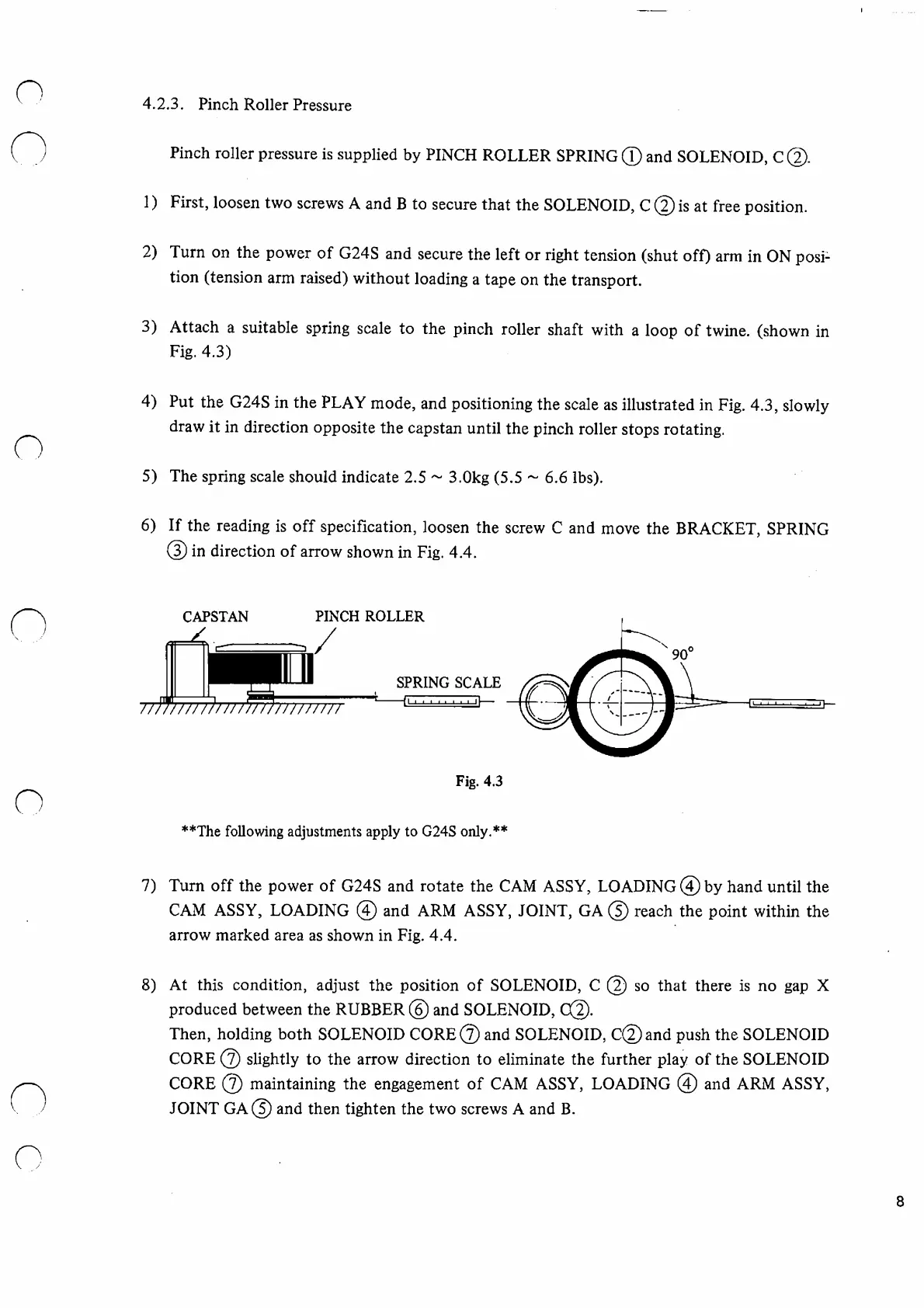
3)
Attach
a
suitable
spring
scale
to
the
pinch
roller
shaft
with
a
loop
of
twine,
(shown
in
Fig.
4.3)
4)
Put
the
G24S
in
the
PLAY
mode,
and
positioning
the
scale
as
illustrated
in
Fig.
4.3,
slowly
draw
it
in
direction
opposite
the
capstan
until
the
pinch
roller
stops
rotating.
5)
The
spring
scale
should
indicate
2.5
~
3.0kg
(5.5
~
6.6
lbs).
6)
If
the
reading
is
off
specification,
loosen
the
screw
C
and
move
the
BRACKET,
SPRING
(3)
in
direction
of
arrow
shown
in
Fig.
4.4.
**The
following
adjustments
apply
to
G24S
only.**
7)
Turn
off
the
power
of
G24S
and
rotate
the
CAM
ASSY,
LOADING
@
by
hand
until
the
CAM
ASSY,
LOADING
(4)
and
ARM
ASSY,
JOINT,
GA
©
reach
the
point
within
the
arrow
marked
area
as
shown
in
Fig.
4.4.
8)
At
this
condition,
adjust
the
position
of
SOLENOID,
C
@
so
that
there
is
no
gap
X
produced
between
the
RUBBER
@
and
SOLENOID,
C@.
Then,
holding
both
SOLENOID
COR
and
SOLENOID,
C@and
push
the
SOLENOID
CORE
©
slightly
to
the
arrow
direction
to
eliminate
the
further
play
of
the
SOLENOID
CORE
©
maintaining
the
engagement
of
CAM
ASSY,
LOADING
@
and
ARM
ASSY,
JOINT
GA©
and
then
tighten
the
two
screws
A
and
B.
8

Other manuals for Fostex G16S

Related product manuals