16
Names and functions
Pressing this key again switches the monitor back to
Repro monitor.
* Pressing this key while holding down the [STOP] key
locates the last recording position.
42. [WAVE FORM SCRUB] key
* Pressing this key enters the scrub mode. In the scrub
mode, you can scrub audio forward or backward
digitally.
43. [VARI PITCH / EDIT] key
* Pressing this key switches between On and Off of the vari
pitch (vari-speed playback/recording) function.
When the function is active, this key is illuminated.
* Pressing this key while holding down the [SHIFT] key
makes you ready to edit the pitch value via the screen.
44. [LOOP / EDIT] key
* Pressing this key switches between On and Off of the loop
mode. When the mode is active, this key is illuminated.
* Pressing this key while holding down the [SHIFT] key
makes you ready to edit the loop parameters (Start point
and End point) via the screen.
45. [AUTO PUNCH I/O / EDIT] key
* Pressing this key switches between On and Off of the auto
punch mode. When the mode is active, this key is
illuminated.
* Pressing this key while holding down the [SHIFT] key
makes you ready to edit the auto punch parameters (In
point and Out point) via the screen.
46. [TIME BASE SEL / F2] key
* Pressing this key switches the time base shown on the
screen among the following.
a. ABS (absolute time):
Absolute time from 00h00m00s to 23h59m59s.
b. Bar/Beat/Clk (Bar/Beat/Clock):
Bar/Beat/Clock according to the time signature and
tempo information set in the internal tempo map.
c. MTC (MIDI Time Code)
MTC with or without an offset to the ABS time.
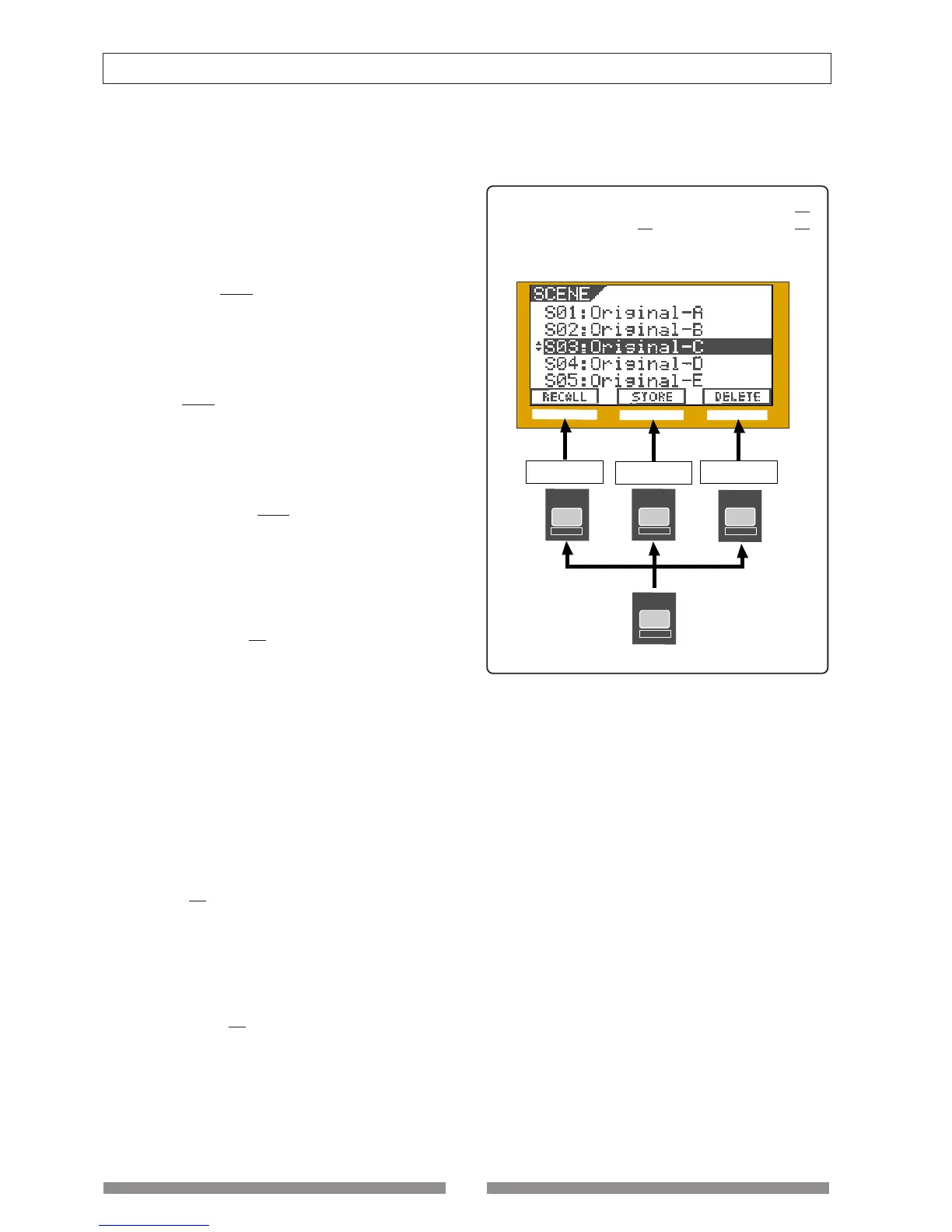
* When a key icon is shown above "F2" on the screen,
pressing this key while holding down the [SHIFT] key
executes the function directly.
47. [SETUP / F1] key
* Pressing this key enters the setup mode for editing/
setting the initial setting parameters of recorder and
mixer.
* When a key icon is shown above "F1" on the screen,
pressing this key while holding down the [SHIFT] key
executes the function directly.
48. [UNDO/REDO / F3] key
* Pressing this key cancels the operation for the audio
editing (Copy, Paste, etc.), auto punch in/out or
recording, and returns to the previous condition.
This is the "undo" function.
* Pressing this key again returns to the condition before
carrying out the "undo" function. This is the "redo"
function.
* When a key icon is shown above "F3" on the screen,
pressing this key while holding down the [SHIFT] key
executes the function directly.
In the example below, pressing the [SETUP / F1]
key, [TIME BASE SEL /
F2] key or [UNDO/REDO / F3]
key executes "RECALL", "STORE" or "DELETE" re-
spectively.
SHIFT
UNDO / REDO
F3
SEL
TIMEBASE
F2
SETUP
F1
F1
F2 F3
Recalling a scene
Storing a scene
Deleting a scene



 To Next Page