86
Save/Load of Song data
SCSI device such as zip and MO drive
SCSI cable
1
Saving/loading data using SCSI
If you install the optional SCSI card (Model 8340) in the VF08, you can save/load song data using a SCSI backup disk.
A backup SCSI disk can be formatted by the Fostex backup format (FDMS-3) from the VF08, however, you can
also save data to or load data from a WEV file on a SCSI disk formatted by the DOS format (for computer use).
Since song data written in a WAV file can be read by a computer, as well as can be loaded to the VF08, you can
use the data with a music software.
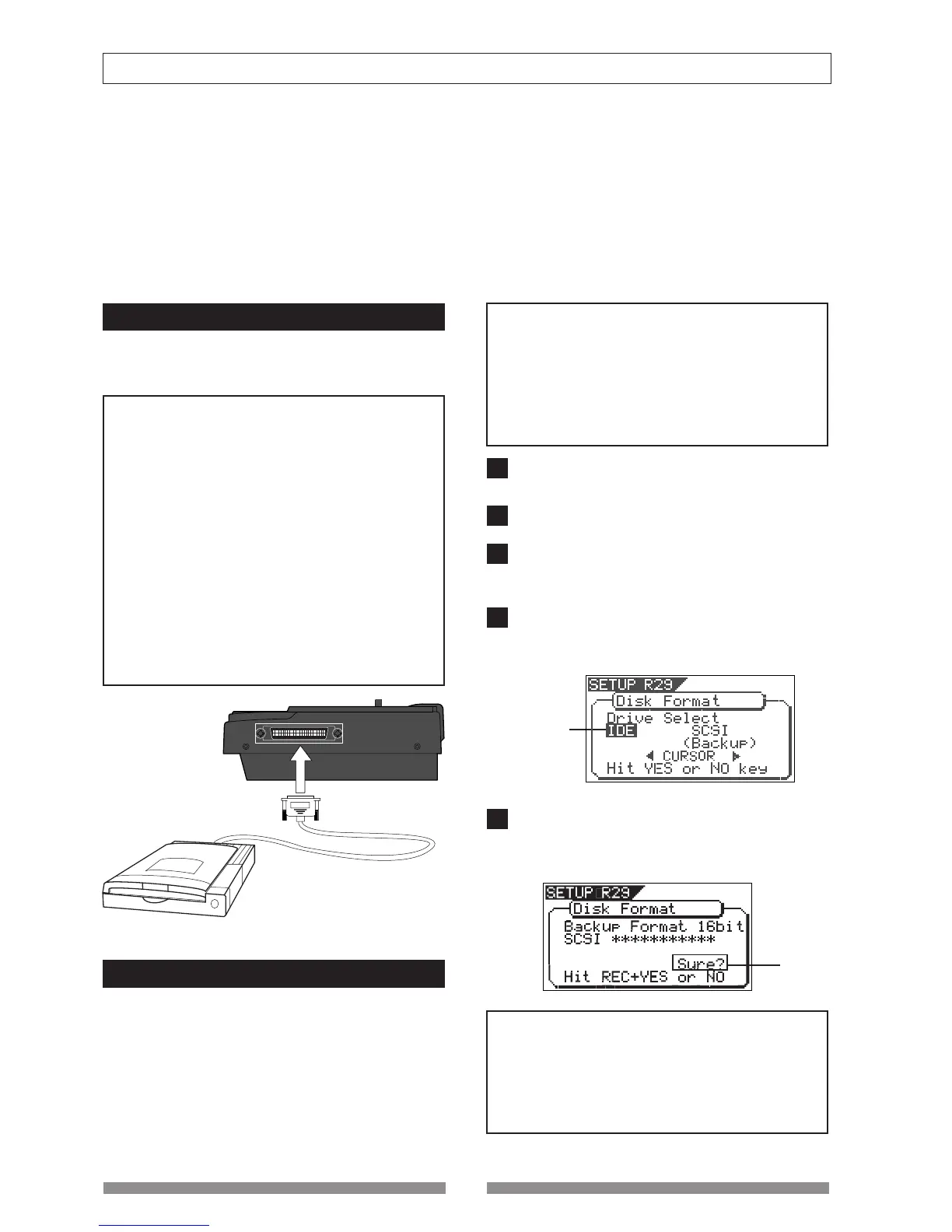
Connecting to an external device
After installing the Model 8340 SCSI card, connect
the SCSI connector on the card (half pitch 25-pin
type for Macintosh) to an external SCSI device.
<Notes>
• Make connection with the power turned off.
• You can connect only one SCSI device via the SCSI
connector of Model 8340 SCSI card.
When connecting a external SCSI device to the Model
8340 SCSI card, insert a SCSI terminator to the other
(unused) SCSI connector of the device. Or, if the device
provides a switch that switches the SCSI termination,
set it to ON.
• There is no limitation for the ID number of the backup
SCSI device. The unit automatically recognizes the
device as a backup SCSI device.
• You must format the disk used with the backup SCSI
device after connecting the device.
See "Formatting a backup disk" below for the detail
information.
Formatting a backup disk
You can use an unformatted disk or disk currently
used for a computer, etc.
When formatting a disk currently used for a
computer, make sure that you do not need the data
recorded on the disk. Once you start formatting, you
cannot stop or cancel formatting. The following
procedure assumes that a removable disk is used.
<Notes>
• A write-protected disk cannot be used. Release the
protection before using.
• The disk formatted by the VF08 can be used for
saving/loading by the FDMS-3 format.
The VF08 cannot DOS-format a disk for saving/loading
by a WEV file. So, to DOS-format a disk, use a personal
computer, etc.
After connecting a backup SCSI device to the VF08,
turn on the both machine.
Insert a backup disk into the SCSI device.
Press the [SETUP] key to enter the setup mode.
The display shows the screen for selecting the setup
menu.
Use the [JOG] dial to select "Disk Format" and press
the [ENTER/YES] key.
The display shows the screen for selecting a drive.
"IDE" (E-IDE hard disk) blinks.
Use the [CURSOR] keys to select (blink) "SCSI" and
press the [ENTER/YES] key.
The display shows the name of the SCSI device
connected, and "Sure?" blinks.
<Note>
The backup format of the VF08 is "Backup Format 16
bit." You cannot save VF08 song data to a disk formatted
with 24-bit format by the Fostex D824 or D1624. If
you set such a 24-bit formatted disk to the SCSI device,
the VF08 display will show "Backup Format 24bit". Use
only a 16-bit formatted disk.
Blinking
Blinking
2
3
4
5



 To Next Page