120
Save/Load of Song data
After specifying track(s) to be loaded, press the
[ENTER/YES] key while holding down the [RECORD]
key.
The VF80 starts loading tracks to the current drive.
The following screen example shows that track 1 is
now being loaded to program 02 on the current drive.
When the loading ends, “Load Completed!” appears on
the screen, while the disc is automatically ejected from
the CD-RW drive.
Press the [EXIT/NO] key to quit the Setup mode.
The display returns to the Normal display that was
shown last time before entering the Setup mode.
9
10
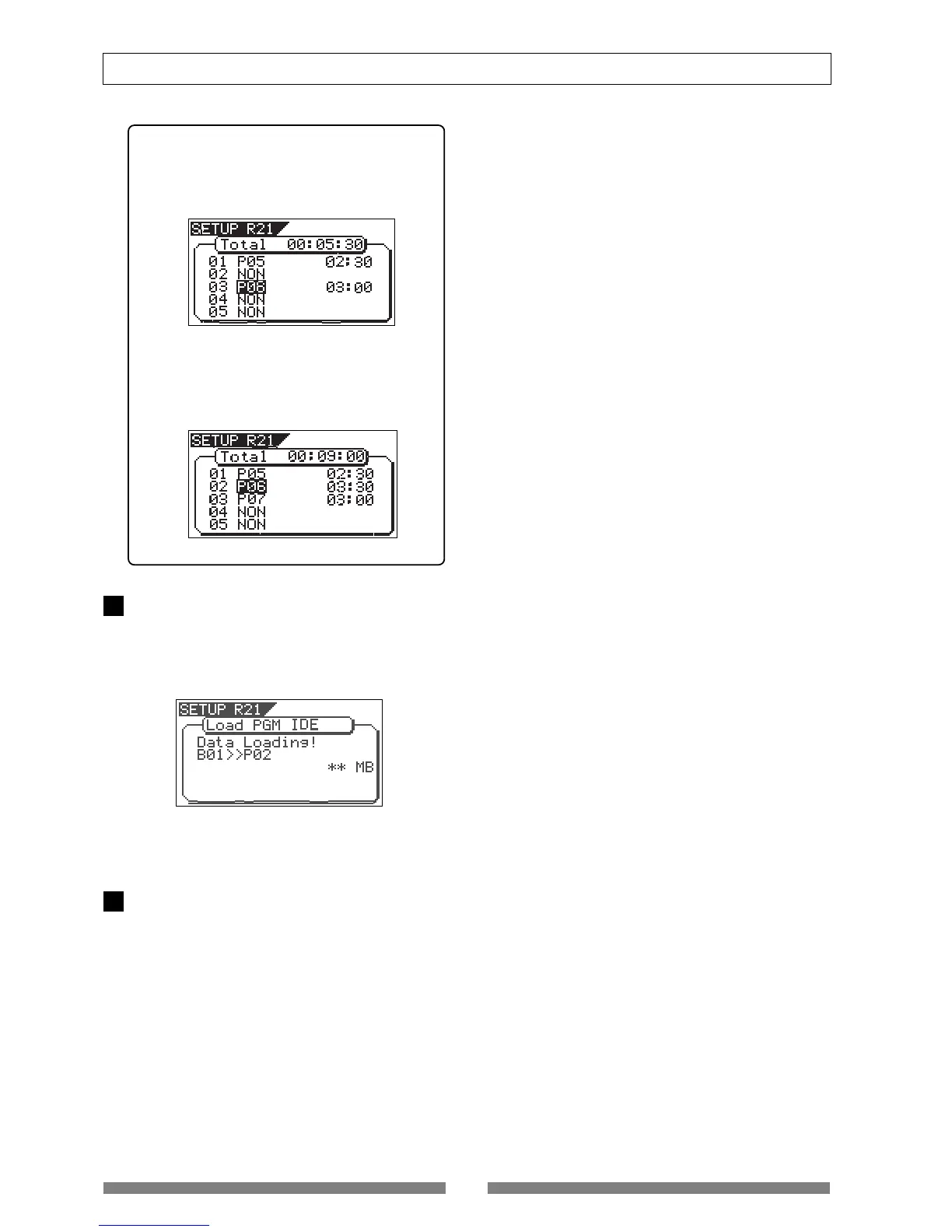
<Hint>
If you are going to load tracks 1 and 3 in the ex-
ample above, instead of tracks 1 and 2, track 3 will
be loaded to program 06 (see the screen example
below).
However, if you select track 2 after selecting tracks
1 and 3, the VF80 automatically reassigns track 2
to program 06 and track 3 to program 07 (see the
screen example below).


 To Next Page