30
Basic Recording/Playback
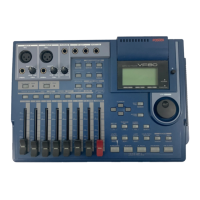
DIGITAL MULTITRACKER
LOCATE ABS 0
LOCATE REC END
SEL
TIMEBASE
CURSOR
PHANTOM
ACCESS
PEAK
CH ON/OFF
LR
GUITAR
GUITAR
LINE MIC LINE MIC MIN MAX
MASTERING TRAINING
EFFECTEQPAN
SCENE SEQ.SCENE
TRACK
UNDO
SETUP
PUNCH
AUTO
LOOP PITCH SCRUB
VARI
F FWDREWINDPLAYSTOPRECORD
EXIT
ENTER
TRIMTRIM
WAVE FORM
MIX PARAMETER
PGM
FADER
MAP
ON/OFF
2TRK MODE
F1
F2
F3
SHIFT
EDIT
EDIT EDIT
MARK
DELETE
LOCATE
FOOT SW
ST OUT
PHONES
INPUT A
BOUNCE
INPUT B
+6
-10
-20
-40
-
∞
-30
0
+6
-10
-20
-40
-
∞
-30
0
+6
-10
-20
-40
-
∞
-30
0
+6
-10
-20
-40
-
∞
-30
0
+6
-10
-20
-40
-
∞
-30
0
+6
-10
-20
-40
-
∞
-30
0
+6
-10
-20
-40
-
∞
-30
0
+6
-10
-20
-40
-
∞
-30
0
PEAK
CH ON/OFF
2 3 4
5 6
7/8 2TRK1
MASTER
TRACK STATUS / TRACK SEL
TRACK STATUS
RED
REC
GREEN
PLAY
OFF
MUTE
STATUS
/SEL
EJECT
/YES
/NO
SHUTTLE
JOG
UNBAL
UNBAL
BAL
BAL
F1
F2 F3
EDIT
/REDO
REC EFF
1
5
2
3
3 4 8 6
9
7
10
7
1
2
3
4
5
Stereo source
Basic recording (recording onto two tracks)
After recording onto track 1 as described in the previous section, let’s make recording of a stereo sound source
onto tracks 3 and 4.
Preparation for recording
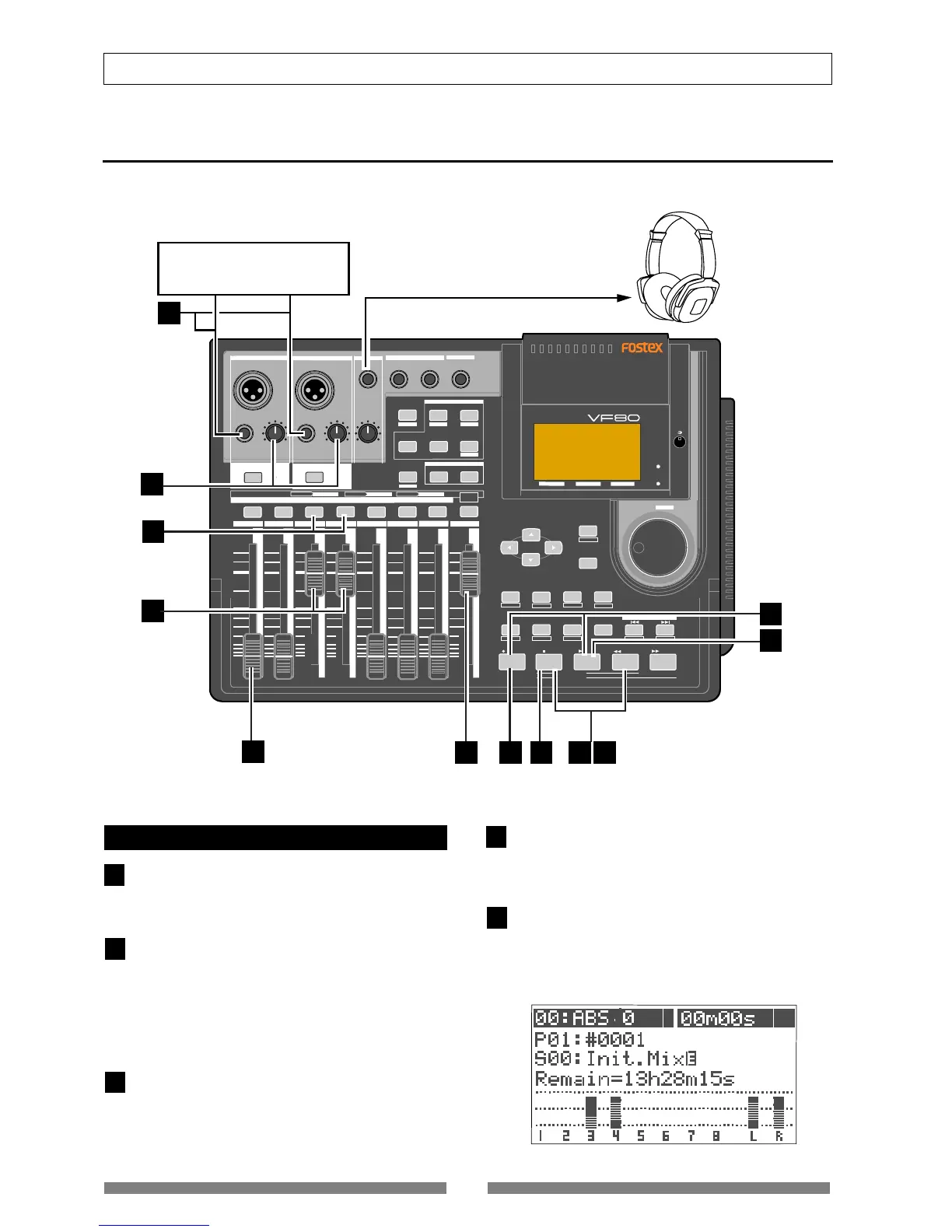
Connect the [INPUT A] UNBAL and [INPUT B] UNBAL
jacks to the L and R outputs of the stereo source re-
spectively.
Press the [TRACK STATUS/TRACK SEL] keys of Tracks
3 and 4.
The keys lighting in green change to flashing in red,
showing Tracks 3 and 4 are now armed. (The “Remain”
time is shown on the screen.)
The [CH ON/OFF] keys of INPUT A and B automatically
light in green.
Raise the faders of tracks 3 and 4 and [MASTER] fader
to “0” position.
This is preparation for monitoring sound. If both of
these faders are set at the minimum position, no sound
can be monitored.
Press the [RECORD] key.
The [RECORD] key starts flashing in red, while Tracks 3
and 4 (which are armed) changes to the input monitor
mode.
Use the [TRIM] knobs of INPUT A and B while playing
the stereo source to get proper gain.
Set the gain at maximum within the range in which the
[PEAK] indicator does not turn on.
You can monitor both the input level of Tracks 3 and 4
from the bar-graph meters on the screen.


 To Next Page