1
2
3
1
2
3
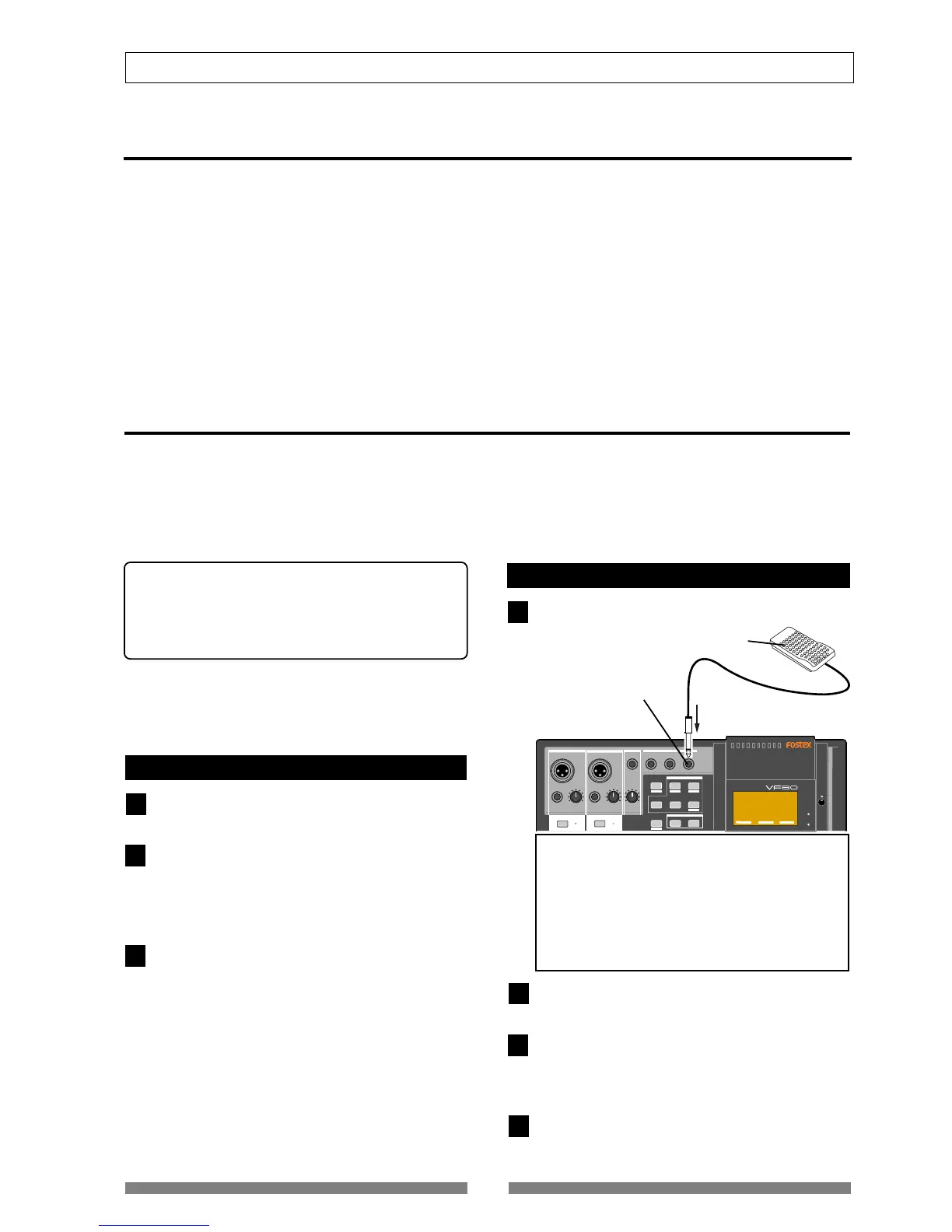
[FOOT SW] jack
FOOT SW (Model 8051)
4
ABS locate functions
There are four types of the ABS locate functions as below.
• Pressing the [REWIND] key while holding down the [STOP] key locates the beginning of the current program
(ABS 00), regardless of the time base setting.
• Pressing the [F FWD] key while holding down the [STOP] key locates the end position of the last recording of the
current program (REC END).
You can use this function to locate the end point of a song or to check the length of a song.
• Pressing the [PLAY] key while holding down the [STOP] key locates the beginning of the last playback.
• Pressing the [RECORD] key while holding down the [STOP] key locates the beginning of the last recording.
Punch in/out
If you are not satisfied with your recording and want to modify only a specific part, you can replace the part with
a new recording using the punch in/out technique.
“Punch in” switches the transport mode from playback to recording, while “Punch out” switches the transport
mode from recording to playback. The point at which a punch in is carried out is called a “punch in point”, while
the point at which a punch out is carried out is called a “punch out point.”
You can carry out the punch in/out operation in 3 ways:
* Manual punch in/out using the keys on the unit
* Using the foot switch (Model 8051)
* Auto punch in/out function
After setting the punch in and out points, the punch
in/out can be took place automatically.
The following description is assumed that the track(s)
to be punched in/out are armed and the source input
level is set appropriately by using the [TRIM] knob.
Manual punch in/out using the keys on the unit
Start playback by pressing the [PLAY] key from a po-
sition before the punch in point.
When the playback position reaches the punch in point,
press the [RECORD] key while holding down the [PLAY]
key.
Only the armed track(s) switch from playback to record-
ing.
At the punch out point, press the [PLAY] key .
The armed track(s) switch from recording to playback.
Punch in/out using the foot switch
Connect the Model 8051 foot switch to the [FOOT SW]
jack.
Start playback by pressing the [PLAY] key from a po-
sition before the punch in point.
When the playback position reaches the punch in point,
step on the foot switch.
Only the armed track(s) switch from playback to record-
ing.
At the punch out point, step on the foot switch.
The armed track(s) switch from recording to playback.
<Note>
Do not power on the machine with non-specified foot
SW connected to the foot SW jack.
When powering on the machine with non-specified
foot SW (latch type foot SW, etc.) connected to the
foot SW jack, there is a case that the machine does
not correctly boot up with “No Drive!” alert message.
In such a case, power off the machine once, discon-
nect the foot SW and then power back on.


 To Next Page