3
1.3.1. Data Displays
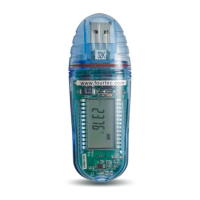
The LCD displays the data in a continuous cycle, alternating in duration according to the
order shown in the table below:
Example of Reading on
Screen
Temperature (in
Celsius or Fahrenheit)
Minimum temperature
reading
Maximum temperature
reading
* If relevant (only displayed in event of alarm/low battery)
Current Temperature Reading
This is the last temperature reading recorded by the MicroLite. If the sampling interval is
once per second, then the reading will be updated for each of the four seconds it
displayed on the LCD. Therefore you will be looking at the actual temperature recorded
at that very moment.
MicroLite Alarm
MicroLite displays an alarm notification whenever any alarm level is exceeded.
AL-L – The temperature reading is lower than its low alarm level (as defined in the
logger Setup).
AL-H – The temperature reading is higher than its high alarm level (as defined in the
logger Setup).
The alarm notification remains until the next time you download data to a PC.
To learn how to set alarm levels, refer to page 10.
The alarm duration on the logger’s LCD is calculated in hours. For example, the shortest
possible duration of 0.01 hours means the logger has been in alarm for between 0 and
36 seconds.
A duration of 1.55 hours means the logger has been in alarm for 93 minutes.
If the MicroLite is in a Low and High alarm simultaneously, then it will show the duration
for both alarms.
www.esis.com.au
Ph 02 9481 7420
Fax 02 9481 7267
esis.enq@esis.com.au


 To Next Page