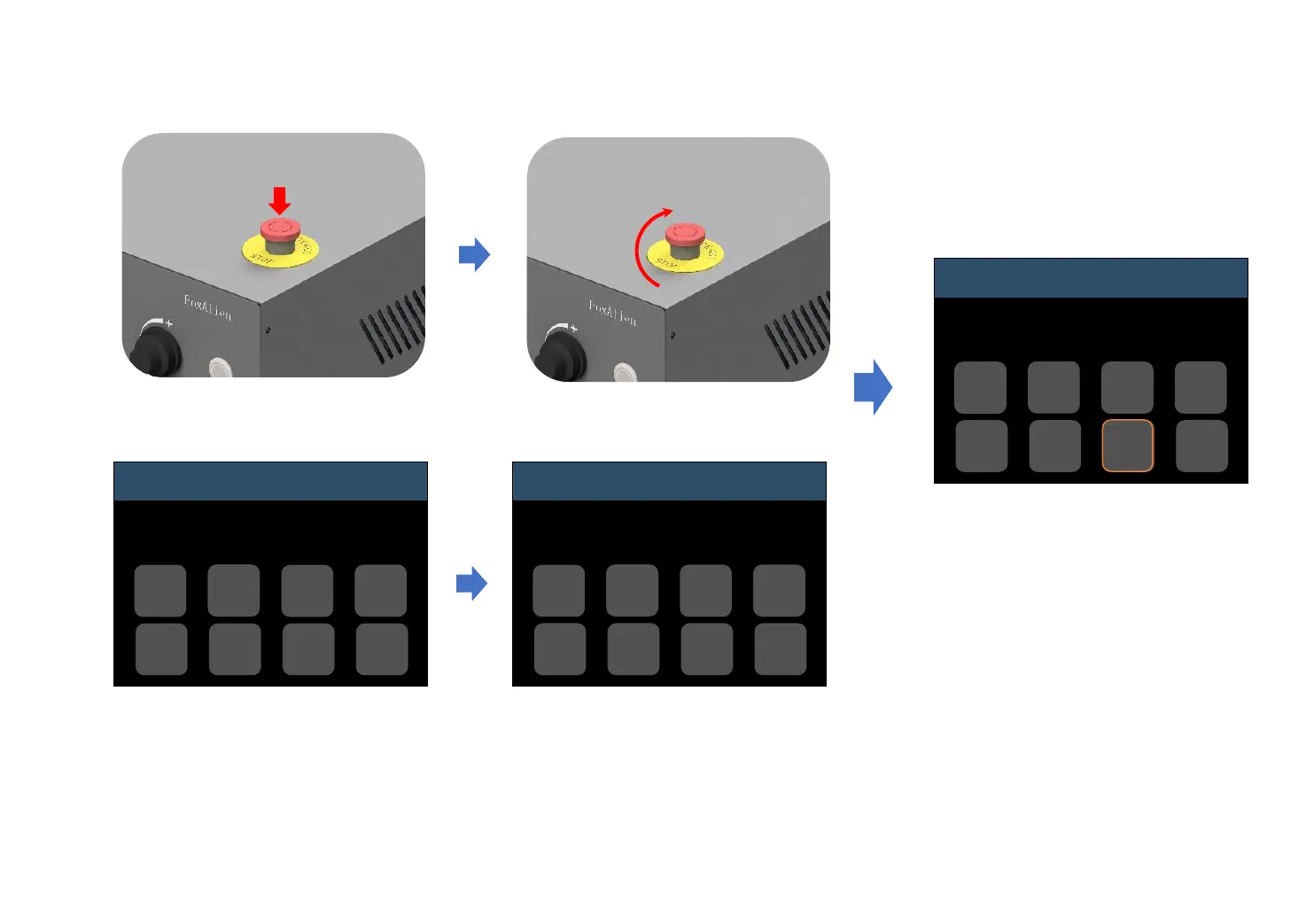
How to Use E-stop
Rotate clockwise to release the
E-stop. Status will change to
“Alarm”.
Then click “Unlock”, status will
change to “Idle”. Machine is back
to normal status.
Press down E-stop when the machine
malfunctions to avoid damage.
When E-stop is triggered, status will
change to “??”.
Control
??
Move
Zero
XYZ
Z-
Probe
Reset
Home
Set
Probe
Unlock
Return
Control
Alarm
Move
Zero
XYZ
Z-
Probe
Reset
Home
Set
Probe
Unlock
Return
Control
Idle
Move
Zero
XYZ
Z-
Probe
Reset
Home
Set
Probe
Unlock
Return
-23-


 To Next Page