MENU
Control
Files
1
Check the emergency stop and limit
switches before operating, make sure
they are not pressed down or triggered.
Select the controller mode, and then
turn on the power. After booting, status
shows “Alarm” in the upper right corner.
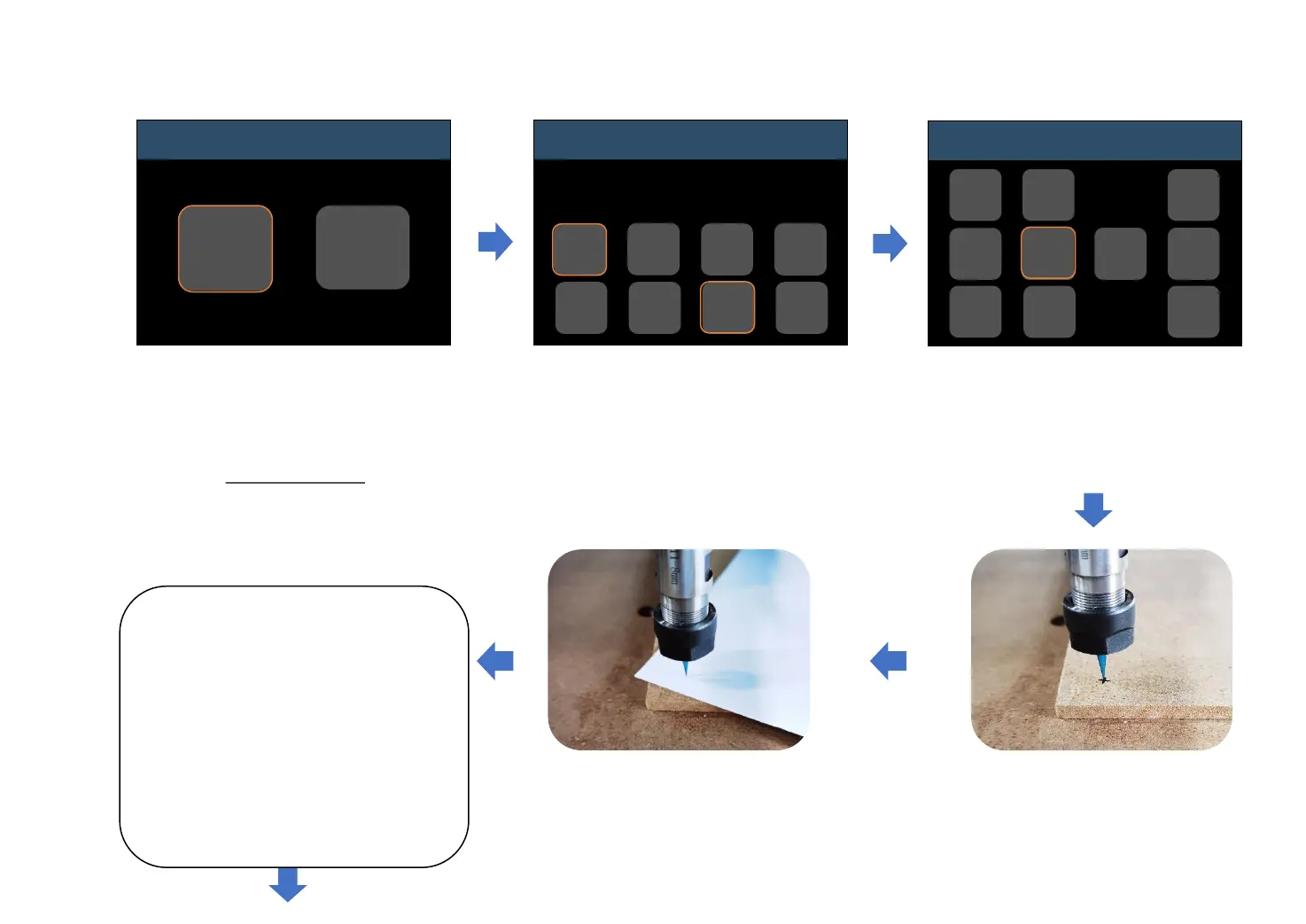
Enter “Control” interface.
Click “Unlock”, and then status
will change to “Idle”.
Then click “Move”.
As above picture shows, click
direction buttons (X+/X-/Y+/Y-
/Z+/Z-) to move bit to zero point.
First, click “Step” to choose step setting
(4 available steps: 0.05, 0.1, 1, 10mm).
Default step is 0, if you don’t click to
choose a step, machine will not move.
Adjust Z-axis, the proper gap between
the bit and object’s surface is that only
an A4 paper can move through tightly.
Click “Spindle/Laser” to check if the
spindle can turn on normally.
Click “Return” to previous menu.
(The spindle speed can only be
adjusted through the knob, and the
software can only turn on/off the
spindle, and cannot adjust the
speed.)
Control
Idle
Move
Zero
XYZ
Z-
Probe
Reset
Home
Set
Probe
Unlock
Return
Move
Idle
Return
Z+
Z-
X-
Y+
Y-
X+
Step
Spindle
Laser
Speed
Alarm
-19-
Make Your First Cut


 To Next Page