Button Introduction
-21-
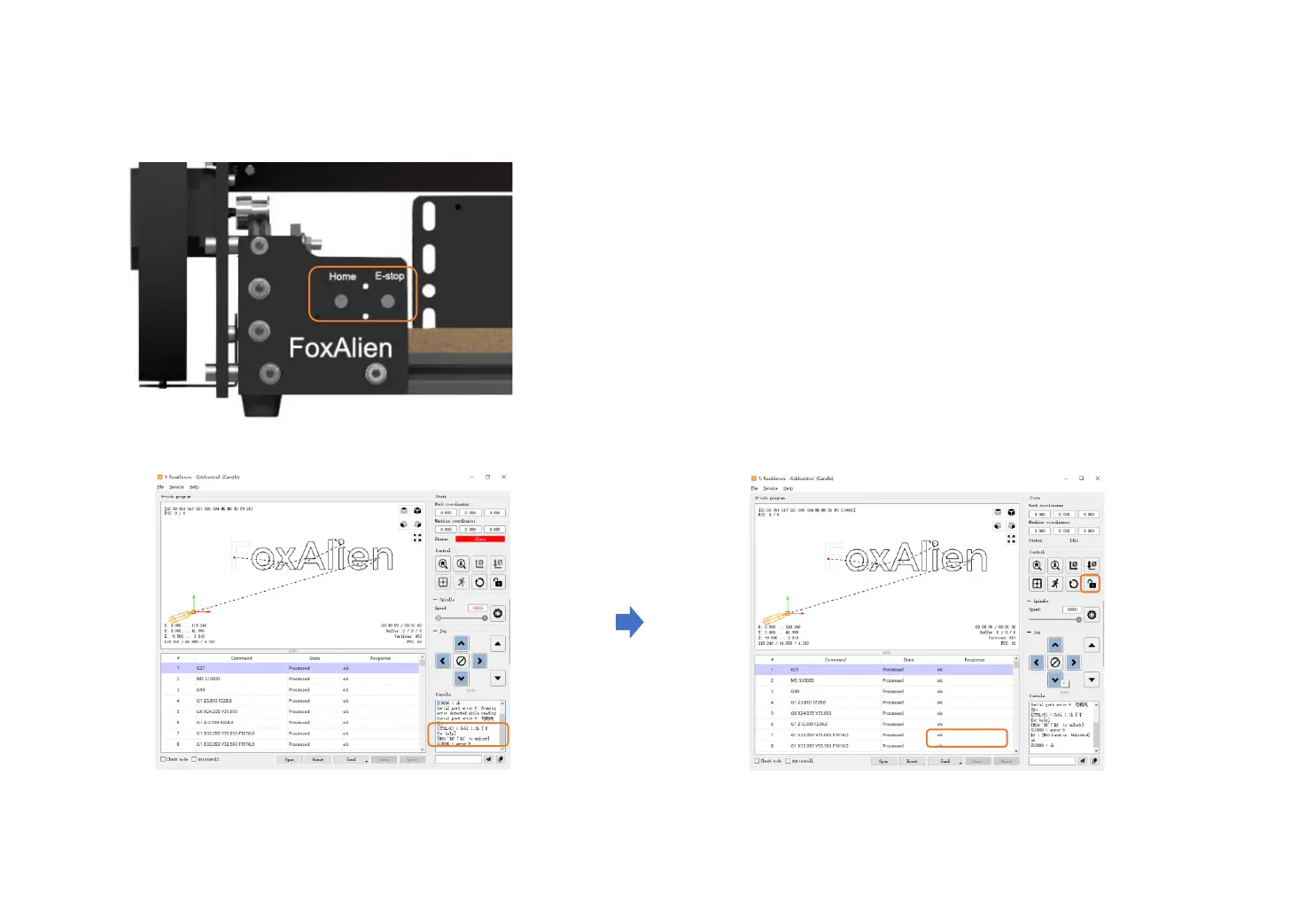
After pressing the emergency stop switch, you can see that
Status becomes Alarm, Console print [MSG:'$H'|'$X' to unlock]
Click “Unlock”. Status becomes idle.
Console print $X < [MSG:Caution: Unlocked].
Home: Power on the machine, connect it to the software or offline controller,
press Home button, the machine will go to the mechanical origin
automatically.
E-stop(Emergency stop switch): Press down the E-stop to abort the project
when the machine malfunctions to avoid damage.


 To Next Page