Z-Probe Operating
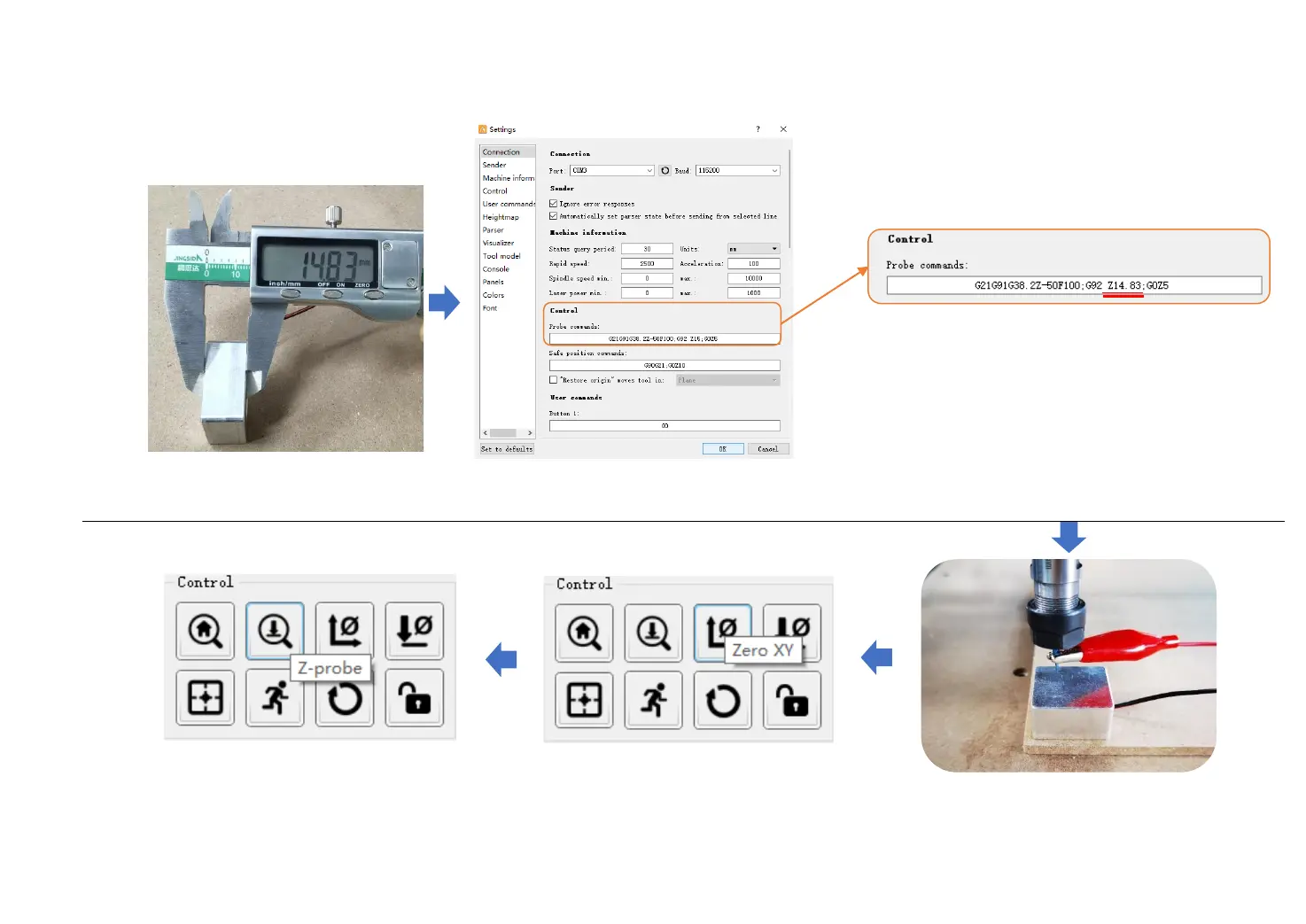
Place the probe as shown
Thickness: 14.83mm
Click ”Zero XY”
Click Z-probe button to start detecting.
After Z-probe detection finished,
remove Z-probe, click “Send” to start
engraving.
-27-
Modify Z-probe parameter. Default
value is Z15, change it to Z14.83 base
of the parameter measured.


 To Next Page