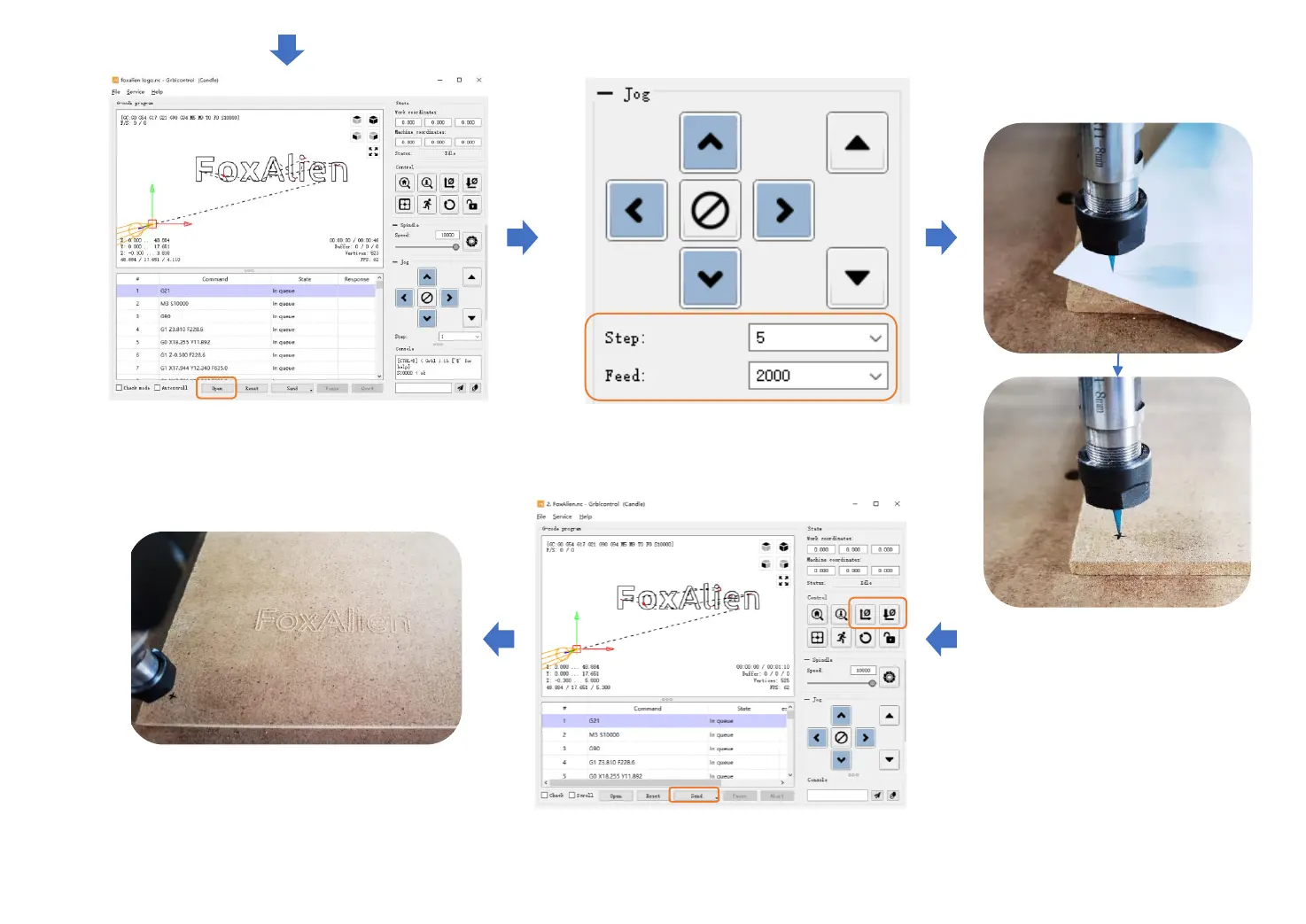
Open a G-code file, Preview G-Code
Click the direction button to
move the bit to the surface of
the object. The best distance
between the bit and the object
is that the bit should feel the
A4 paper, and the paper can
pass through the bit.
-26-
Choose the Step and Feed (Unit: mm)
Set origin. Click “Zero XY” and “Zero Z”.
Click “Send” to start engraving
Engraving Finished.


 To Next Page