Chapter 3 BIOS Description
31
Boot Other Device (Default: Enabled)
With this function set to Enabled, the system will boot from some other
devices if the first/second/third boot devices failed. The available setting val-
ues are: Disabled and Enabled.
Security Option (Default: Setup)
When it is set to “Setup”, a password is required to enter the CMOS Setup
screen; When it is set to “System”, a password is required not only to enter
CMOS Setup, but also to start up your PC.
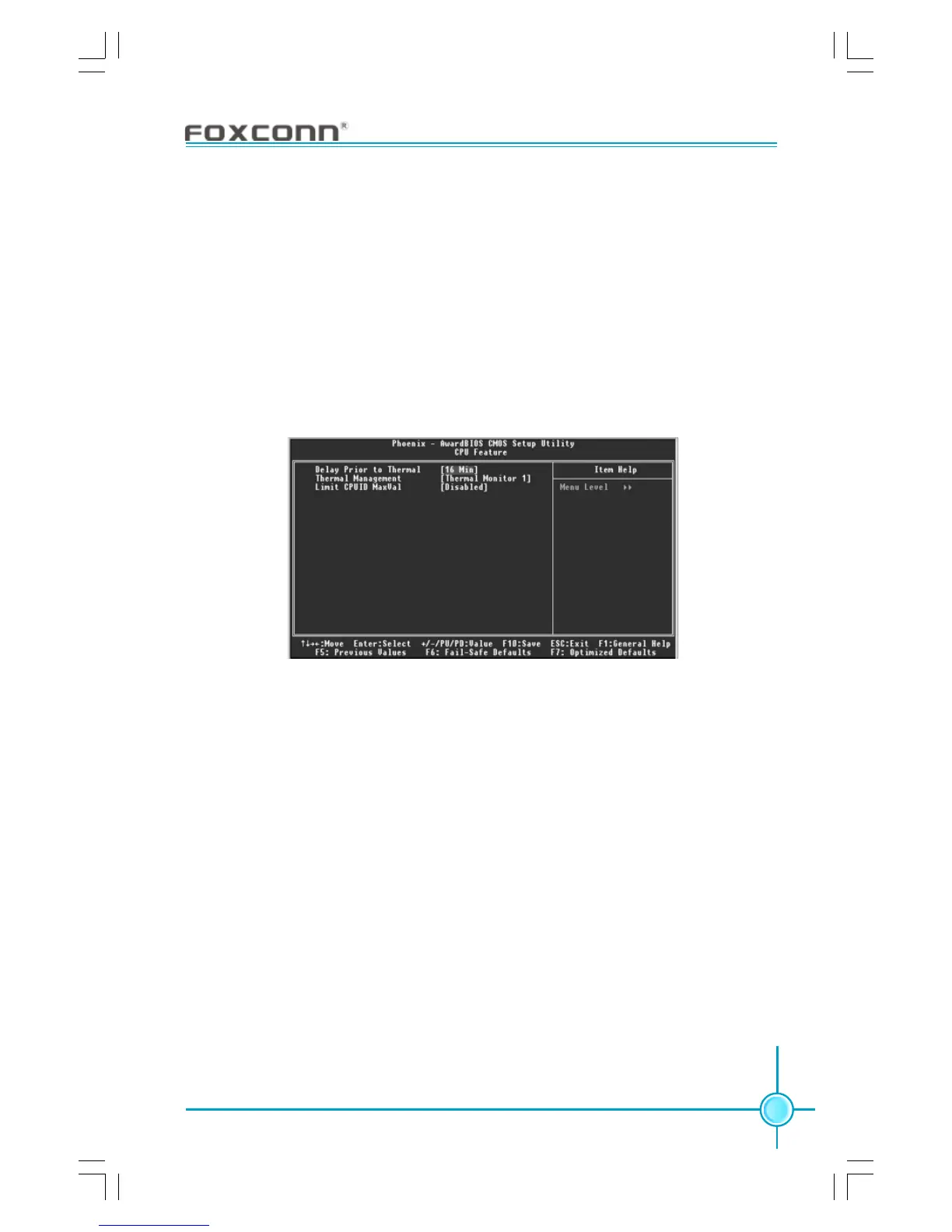
Delay Prior to Thermal (Default: 16Min)
This option is used to set the delay time before the CPU enters auto thermal
mode. The setting values are: 4 Min, 8 Min, 16 Min, 32 Min.
Thermal Management (Default: Thermal Monitor 1)
This option is used to manage Prescott CPU thermal.
Limit CPUID MaxVal (Default: Disabled)
The option is used to set limit CPUID MaxVal. The available setting values are:
Disabled and Enabled.
CPU Feature Menu









 To Next Page