Chapter 3 BIOS Description
33
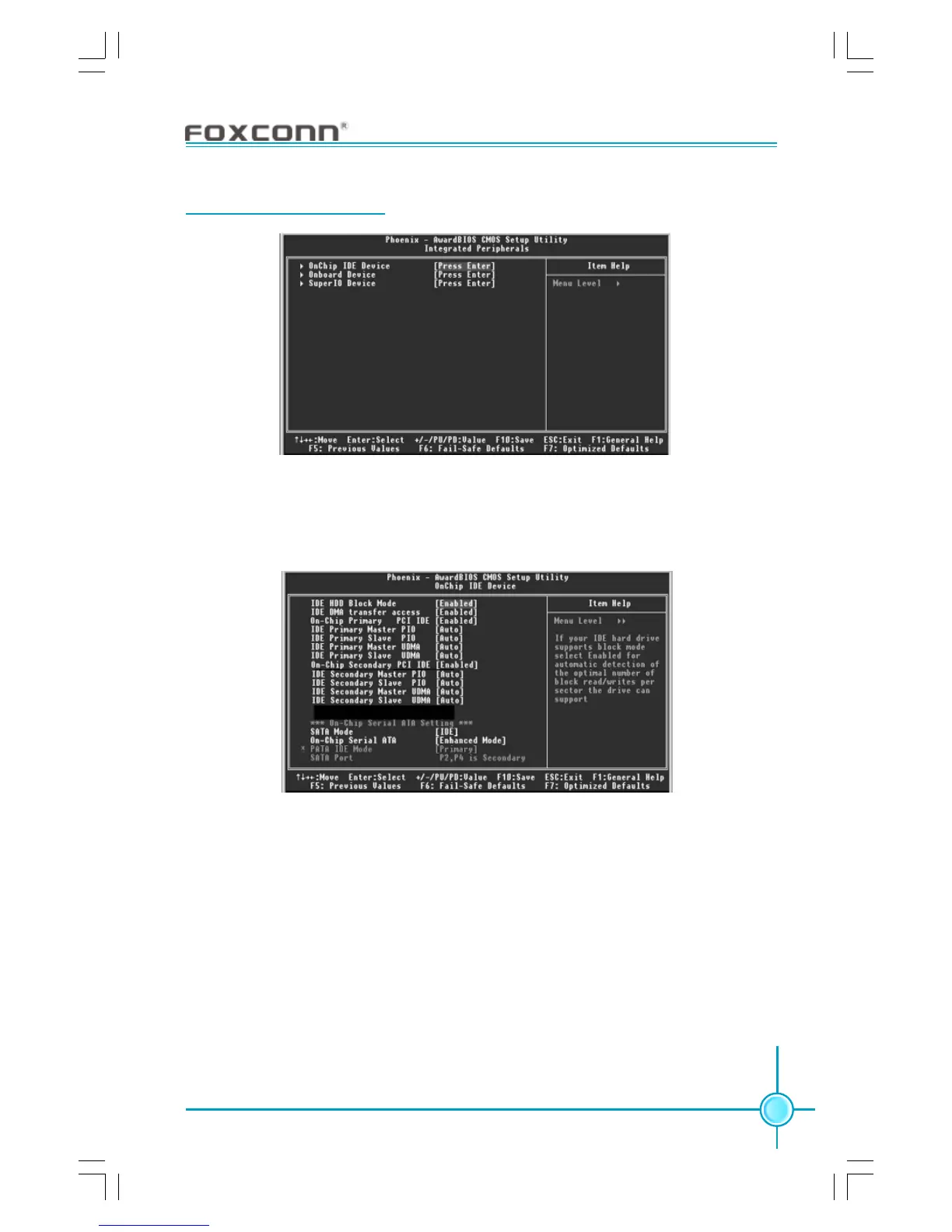
Integrated Peripherals
Use the arrow keys to select your options; press the <Enter> key to enter the
setup sub-menu. The options and setting methods are discussed below:
Onchip IDE Menu
SATA Mode (Default: IDE) (optional)
This option is used to set the Serial ATA Mode. The available setting values
are: IDE, RAID, AHCI.
On-Chip Serial ATA (Default: Enhanced Mode)
This option is used to set the On-chip Serial ATA function. When it is set to
Disabled, the function will be disabled; when it is set to Auto, the BIOS will
enable the function automatically; with it set to Combined Mode, two HDDs at
most will be supported; with it set to Enhanced Mode, six HDDs at most will be
supported (for those under Windows 2000 and Windows XP only); with it set to
SATA Only, only the S-ATA HDD can be used.
Integrated Peripherals Menu









 To Next Page