Appendix
48
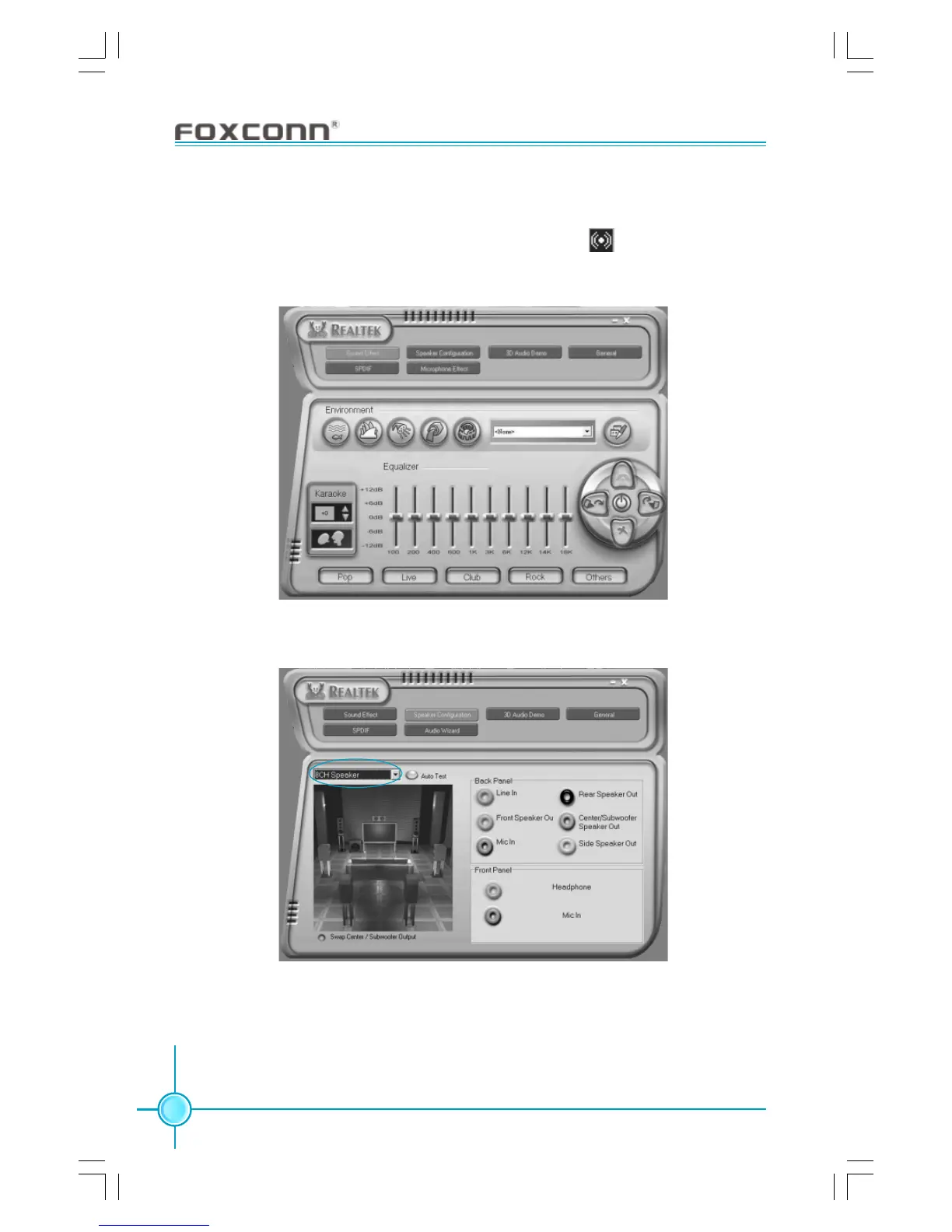
STEP 3. After installation of the audio driver, you’ll find an icon on the taskbar’s
status area. Double click the icon, you will see the following picture.
STEP 4. Click “Speaker configuration”. The following picture will appear.
STEP 5. Make sure you select “8CH Speaker” from the above picture. Now
you can enjoy the 8-channel audio function.









 To Previous Page