27
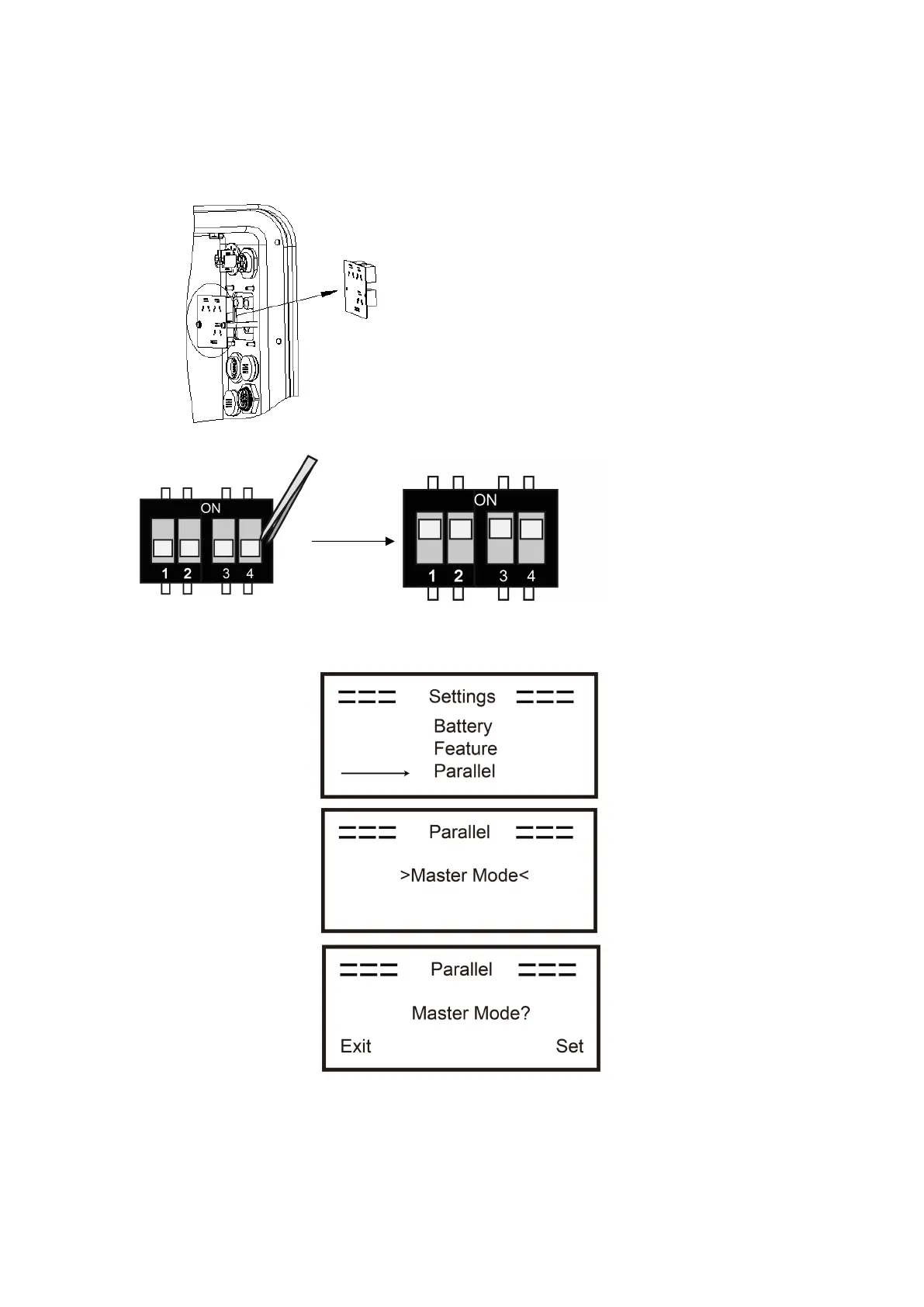
Step2: Set the DIP switch (No need to set all inverter's DIP switch).
- Find the inverter with meter cable plugged.
- Push the white DIP switch to "ON" position (from down to up) by a suitable tweezers.
Step3: Find the inverter connected with the meter, then enter setting page of the inverter LCD display,
then click parallel, and choose "Master Mode".
How to exit from parallel system
If one inverter wants to exit from this parallel system, please follow the steps below:
Step1: Disconnect all the network cables on the CAN port.
Step2: Enter setting page and click parallel setting, and choose "Free".



 To Next Page