21
6.5 Electrical Connection
A. Communication Device Installation (Optional)
H3/AC3 series inverters are available with multiple communication options such as WiFi, GPRS, LAN,
RS485 and Meter with an external device.
Operating information like output voltage, current, frequency, fault information, etc., can be monitored
locally or remotely via these interfaces.
• WiFi/ GPRS/ LAN (Optional)
The inverter has an interface for WiFi/GPRS/LAN devices that allow this device to collect information
from inverter; including inverter working status, performance etc., and update that information to
monitoring platform (the WiFi/GPRS/LAN device is available to purchase from your local supplier).
Connection steps:
1. For GPRS device: Please insert the SIM Card (please refer to the GPRS product manual for more
details).
2. Plug the WiFi/ GPRS/ LAN device into “WiFi/GPRS/LAN” port at the bottom of the inverter.
3. For WiFi device: Connect the WiFi with the local router, and complete the WiFi configuration (please
refer to the WiFi product manual for more details).
4. Set-up the site account on the Fox monitoring platform (please refer to the monitoring user manual
for more details).
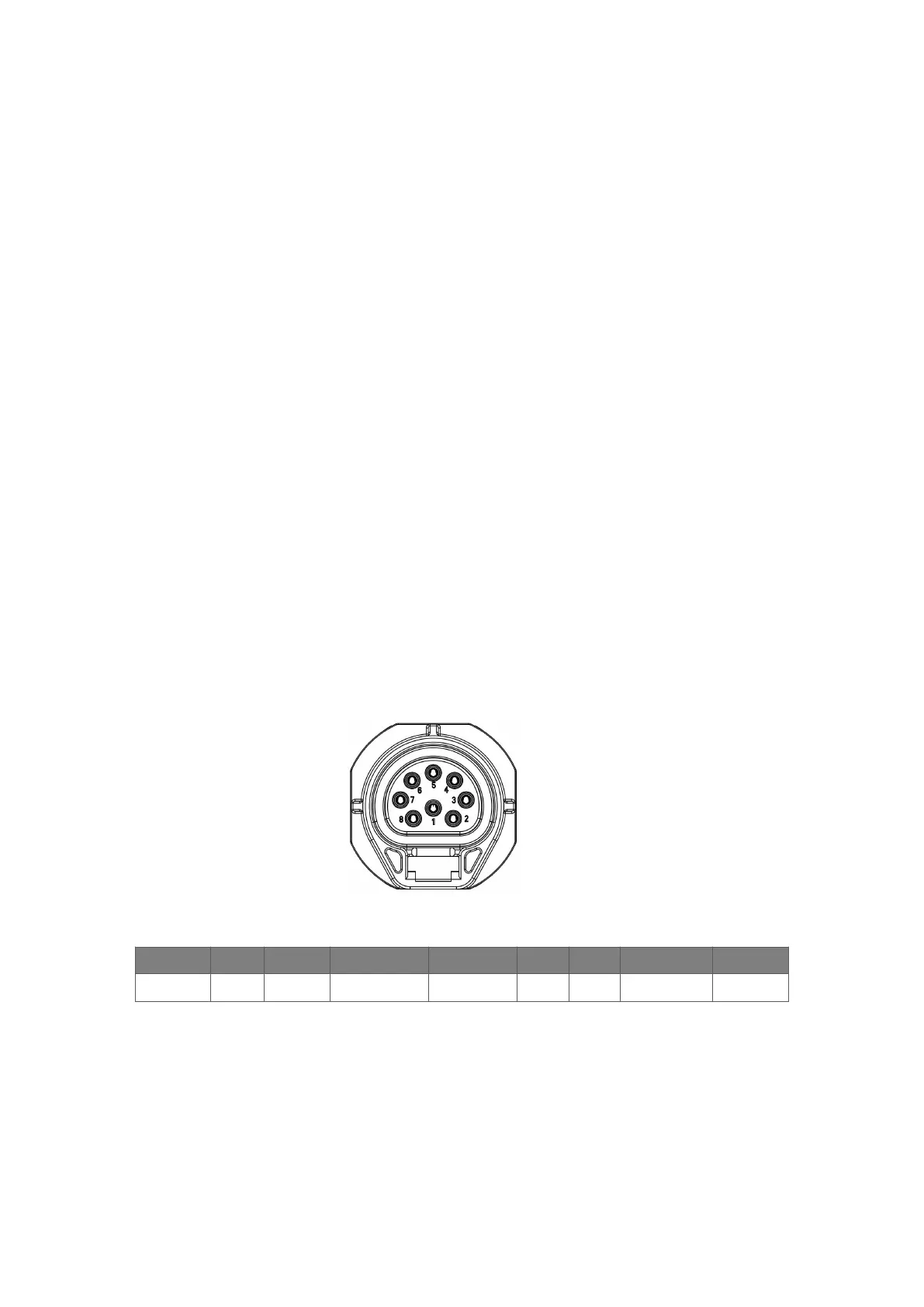
• Meter/RS485
The PIN definitions of Meter/485 interface are as below.
PIN 1 2 3 4 5 6 7 8
Definition 485A 485B Meter485B Meter485A GND GND RY_ CON +12V
Note:
• Compatible Meter type: DTSU666 (CHINT).
Please check and configure the meter before use:
Addr: 1; Baud: 9600
Please refer to the user manual of electricity meter for detailed setting steps.



 To Next Page