30
6.8 Inverter Start-Up
Please refer to the following steps to start up the inverter.
1. Ensure the inverter fixed well.
2. Make sure all the DC wirings and AC wirings are completed.
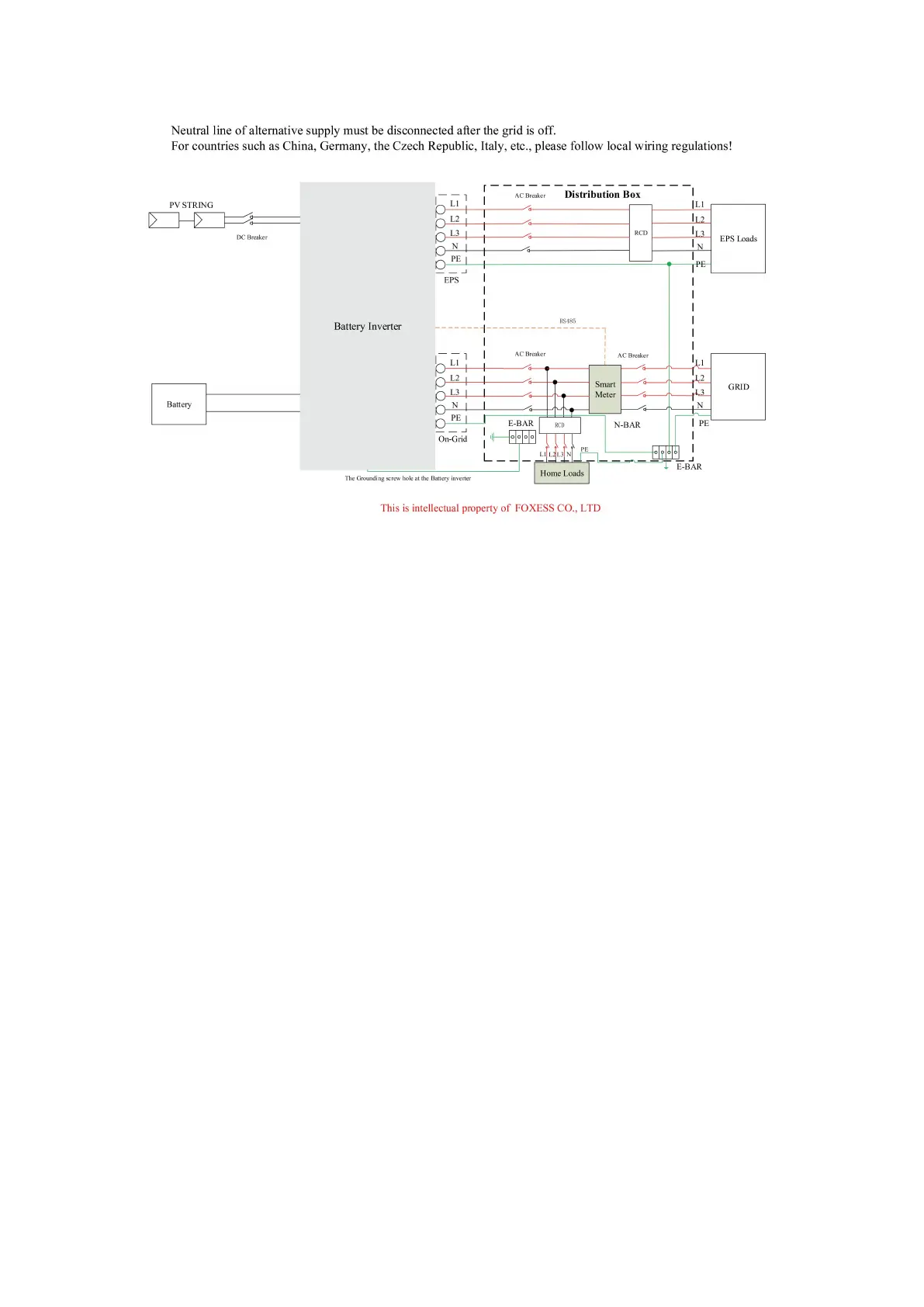
3. Make sure the meter is connected well.
4. Make sure the battery is connected well.
5. Make sure the external EPS contactor is connected well (if needed).
6. Make sure the BMS buttons and battery switches are off.
7. Turn on the PV/DC switch (for H3 only), AC breaker, EPS breaker and battery breaker.
8. Enter the settings page, default password is ‘0000’, select START / STOP and set it to start. (long
press “enter” to quickly go to the START / STOP page).
Note:
• When starting the inverter for the first time, the country code will be set by default to the local
settings. Please check if the country code is correct.
• Set the time on the inverter using the button or by using the APP.
6.9 Inverter Switch Off
Please refer to the following steps to switch off the inverter.
1. Enter the settings page, select START / STOP and set it to stop.
2. Turn off the PV/DC switch (for H3 only), AC breaker, EPS breaker and battery breaker.
3. Wait 5 min before you open the upper lid (if in need of repair).



 To Next Page