27
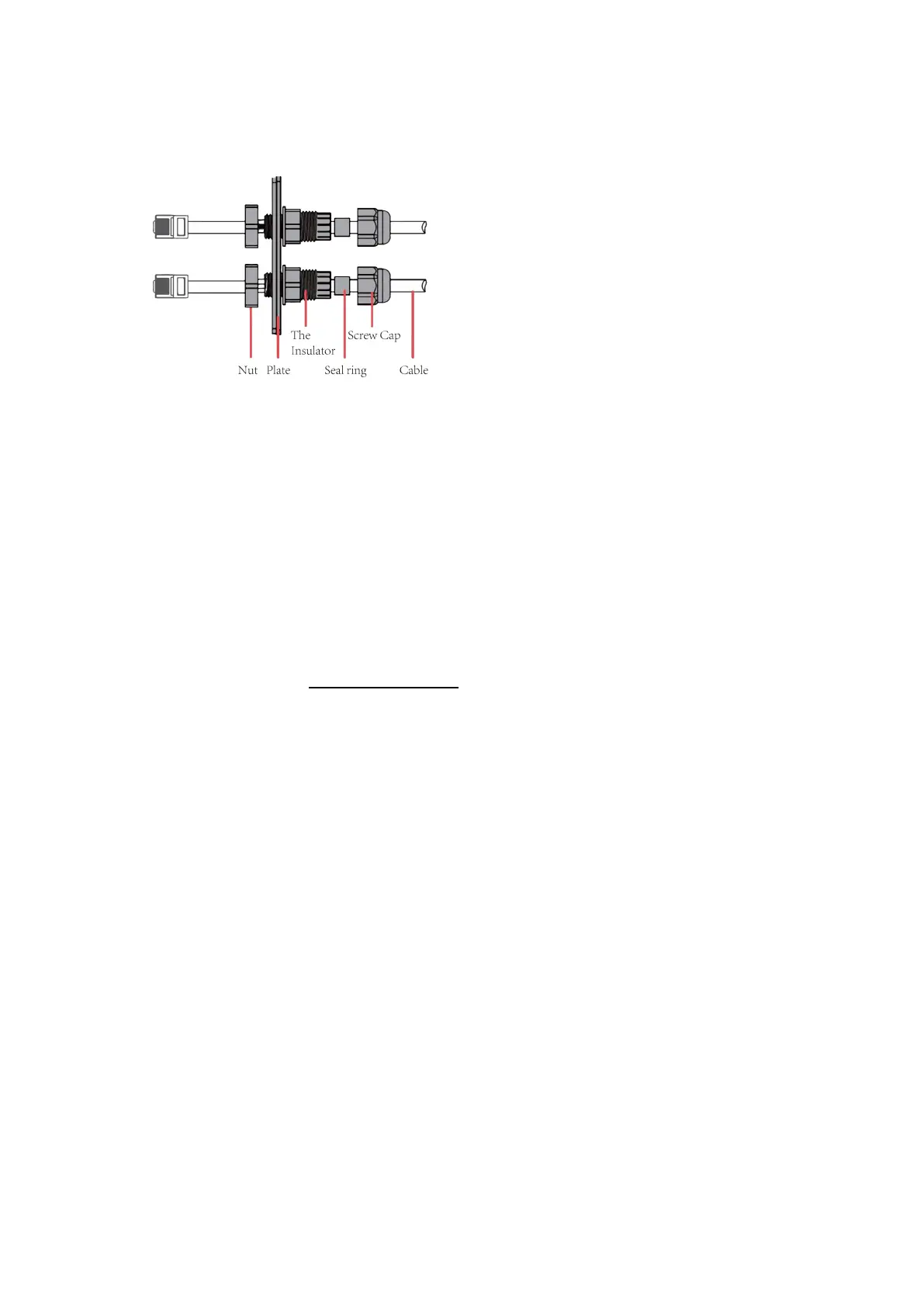
Step 2: Prepare a standard network cable and cable connector, then insert the network cable through the
cable connector.
Step 3: Insert the cable connector into PARALLEL 1/PARALLEL 2/DRM port at the bottom of inverter and
screw it tightly. Then insert other side of the network cable into PC or other device.
Note:
Isolation Fault
This inverter complies with IEC 62109-2 clause 13.9 for earth fault alarm monitoring. If an Earth Fault
Alarm occurs, the fault code isolation fault will be displayed on the inverter screen and the RED LED
indicator will light up.
Reactive Power Regulation for Voltage Variation (Volt-VAr Mode)
Details of how to enable this mode are contained in the “Advanced Configuration Guide”, which can be
accessed at our website at https://www.foxess.com.
Power Derating for Voltage Variation (Volt-Watt Mode)
Details of how to enable this mode are contained in the “Advanced Configuration Guide”, which can be
accessed at our website at https://www.foxess.com.



 To Next Page