12
are urged to seek help from a knowledgeable professional before
connecting any unapproved device to the jack. Keep in mind that any
damage to the FOXPRO caller because of improper use of the AUX jack
is not covered by the warranty, nor will FOXPRO be liable for damage to
any connected devices.
5. Using External Power Sources
Unlike some older FOXPRO game calls, you cannot connect an external
power source to the charge jack on the Firestorm. An external power
source can only be connected through the back of the unit where the
battery tray connects. FOXPRO offers a replacement door for the
Firestorm that is fitted with the appropriate jack for connecting an
external power supply.
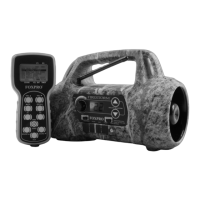
The design of the Firestorm permits the use of certain external power
sources, so long as some precautions are observed. The 8-cell internal
battery pack will serve about 98 percent of the users about 98 percent
of the time. This makes for a caller that is compact and lightweight,
highly portable, and has very good battery life. However, we recognized
that there may be times when extended run-times and additional
loudness are more important than light weight and absolute portability.
You can have the best of both worlds with the Firestorm!
By connecting a large external 12-volt battery to the external power
adapter replacement door (sold separately at FOXPRO), you can
operate the Firestorm and obtain run-times measured in days rather
than hours. The internal NiMH battery pack supplies 9.6 volts to the
power amplifier, while an external battery can supply up to 14 volts.
This additional voltage will offer an increase in power output to the
speakers, equating to additional loudness. But there is a double-edged
sword involved here. By giving the user the ability to get more power
from the amplifier, there is also a much greater chance of causing
damage to the built-in speakers. For this reason, we recommend using


 To Next Page