15
7. TX9 Detailed Information
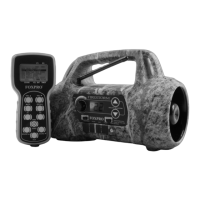
The Firestorm features the TX9 remote control. The TX9 includes a
graphic display (no printed sound lists), two custom presets buttons
that provides you with one button access to your most used sounds,
volume level indicator, recall button, an elapsed timer, and battery level
indicator for the transmitter battery. The most basic operational steps
for the TX9 were covered in Chapter 2, section 2-2. That section
includes battery installation and basic operations such as playing
sounds and muting. The following section includes all other aspects.
7-1 Recall Button
The recall button remembers the last sound and volume level that you
were operating with. For example, if you are playing sound 001 at
volume 9, and then switch to sound 002 at volume 5, by pressing the
recall button you will jump back to sound 001 and volume 9.
7-2 Elapsed Timer
The elapsed timer allows you to see how long you have been on a
stand. The timer starts as soon as you turn on the TX9 transmitter. You
can reset the timer by pressing the Auxiliary and Sound Up buttons
simultaneously. The timer will automatically reset to 00:00 if it is
allowed to continue beyond the 99:59 mark.
7-3 FOXBANG
When enabled, FOXBANG will play your first preset sound upon
discharging of your firearm. For example, if you normally switch to a
preset of a ki-yi or pup distress after making a shot, FOXBANG can
automatically play that preset for you without the need for
intervention. FOXBANG has 5 sensitivity levels which are set via the TX-
9 transmitter (lowest, low, medium, high, and highest). FOXBANG status
(FB) will be shown in the upper left-hand corner of the display.


 To Next Page