20
you need new batteries, if it needs service, or if everything is working
well. This can help prevent cancellation of trips and potential
disappointment.
10. Troubleshooting
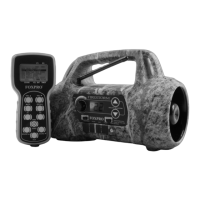
This section covers the troubleshooting aspects for the Firestorm and
TX9 remote control. The most common problems are battery related.
Before doing anything else, try installing fresh batteries. When your
batteries get low, in either the Firestorm or the TX9 remote,
unexpected operations can occur. You can experience such things as
loss of audio quality, loss of remote-control range, and other abnormal
results.
Problem: Firestorm will Not Turn On. Solution: Make sure that you
have fresh batteries installed. If you are using rechargeable batteries,
make sure they are fully charged. Inspect your battery tray and make
sure the springs are not compressed or corroded as this could lead to
poor battery connectivity.
Problem: Firestorm does not produce any sound. Solution: Check that
the speakers are not turned off. Check to see if you can play sounds
manually (without the remote). If you cannot play sounds manually,
connect the Firestorm to a computer and inspect the sound files for
missing files or signs of corruption.
Problem: TX9 remote not controlling Firestorm. Solution: See section
11 “Maximizing Remote Range”
Problem: Cannot transfer sound list to TX9. Solution: This typically
stems from an error in the play list on Firestorm. If you recently added
new sounds, double-check the programming for errors such as
duplicate or missing sound numbers.


 To Next Page