6
2.4GH z WiFi N ame (SSID) best for ra nge
5.0GHz WiFi Name ( SS ID) be st for streaming
WiFi pa sswor d
Use this info to co nnect your WiFi.
Keep it secret. Kee p it safe.
D
Gigabit
WAN
Reset
Power
DC
10/100
USB
DSL
8
4
Connectvia WiFi
Goto WiFiSettingsonyourdevice andselect
themodemnetwork(foundonyour WiFiKeep
MeCard
D
orthebackofyourmodem).
Ifyoustreamalotofvideothroughthatdevice,
wesuggestyouselect theFoxtelHubMedia
network,ifavailable. Then enter yourWiFi
passwordshownon your WiFiKeep Me Card .
Ifyourdevicesupports WPS connection,
youcansimply pressthe Connect (WPS)
buttononyourmodem untilit ashesblue
andthenactivateWPSmodeonyourchosen
device(asshownin yourdevice’smanual).
The modem and your device should
automatically discover and connect to
eachother.
WiFiKeepMe Card
WiFi-enableddevice
WiFiModem
Top tip
WiFiProtectedSetup(WPS) allowsthemodem
andyourdevicestopairtoeachotherwithout
theneedto inputpasswords.
Howtoconnect
Connect (WPS)
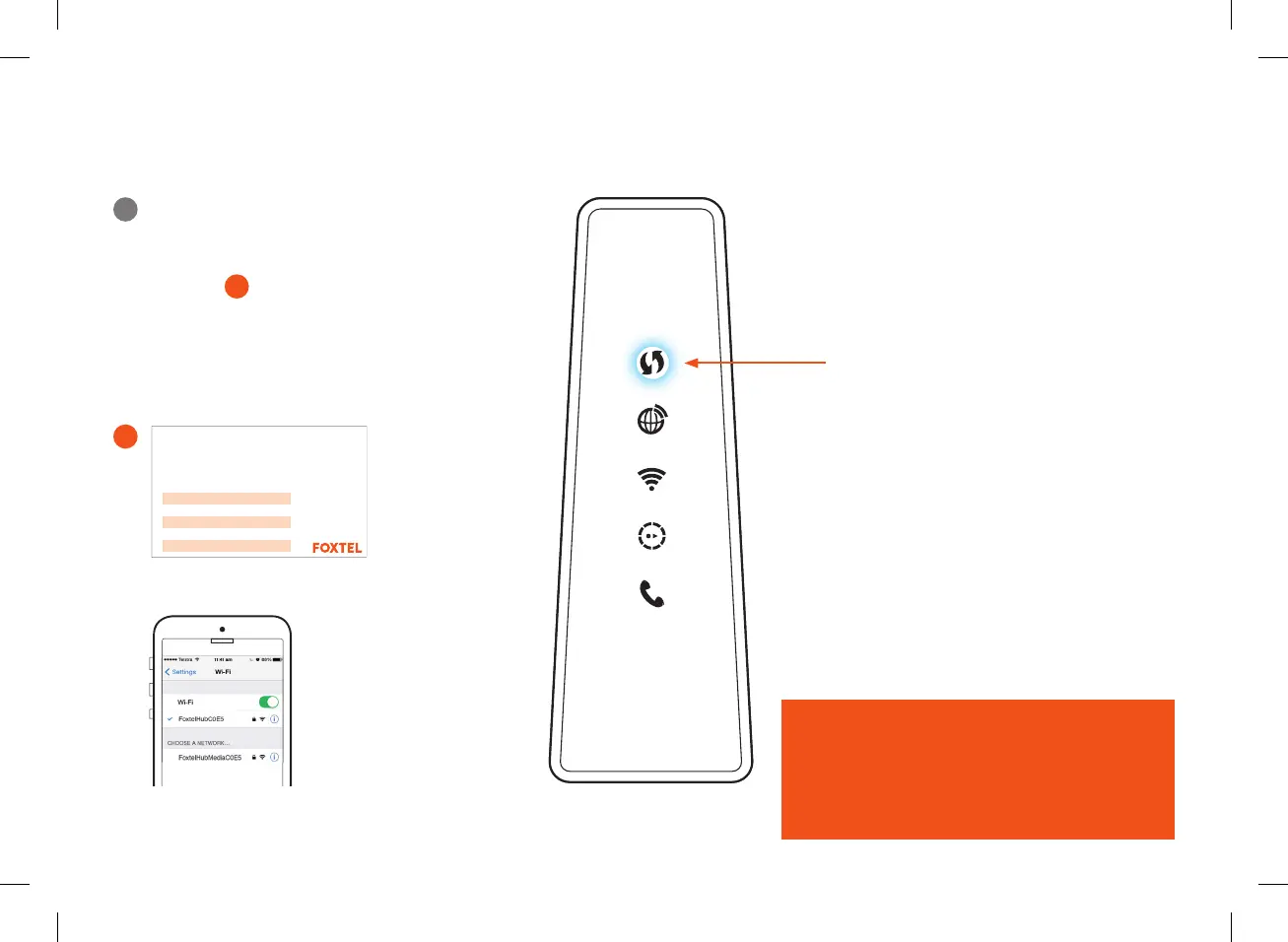
Internet
WiFi
iQConnected
Voice
FOX0959_HFC_Guide_Brand_Update_AW3a.indd 8-9
How to connect
1
Connect via WiFi
Go to WiFi Settings on your device and select
the modem network (found on your WiFi Keep
Me Card
C or the back of your modem).
If you stream a lot of video through that device,
we suggest you select the FoxtelHubMedia
network, if available. Then enter your WiFi
password shown on your WiFi Keep Me Card.
If your device supports WPS connection,
you can simply press the Connect (WPS)
button on your modem until it flashes
blue and then activate WPS mode on
your chosen device (as shown in your
device’s manual).
The modem and your device should
automatically discover and connect
to each other.
C
WiFi-enabled device
WiFi Keep Me Card
WiFi Modem
Top tip
WiFi Protected Setup (WPS) allows the modem and
your devices to pair to each other without the need
to input passwords.
2.4GHz WiFi Name (SSID) best for range
5.0GHz WiFi Name (SSID) best for streaming
WiFi password
Use this info to connect your WiFi.
Keep it secret. Keep it safe.
D
Gigabit
WAN
Reset
Power
DC
10/100
USB
DSL
8
4
Connect via WiFi
Go to WiFi Settings on your device and select
the modem network (found on your WiFi Keep
Me Card
D
or the back of your modem).
If you stream a lot of video through that device,
we suggest you select the FoxtelHubMedia
network, if available. Then enter your WiFi
password shown on your WiFi Keep Me Card.
If your device supports WPS connection,
you can simply press the Connect (WPS)
button on your modem until it flashes blue
and then activate WPS mode on your chosen
device (as shown in your device’s manual).
The modem and your device should
automatically discover and connect to
each other.
WiFi Keep Me Card
WiFi-enabled device
WiFi Modem
Top tip
WiFi Protected Setup (WPS) allows the modem
and your devices to pair to each other without
the need to input passwords.
How to connect
Connect (WPS)
Internet
WiFi
iQ Connected
Voice
FOX0959_HFC_Guide_Brand_Update_AW3a.indd 8-9
Use this info to connect your WiFi.
Keep it secret. Keep it safe.
2.4GHz WiFi Name (SSID) best for range
5.0GHz WiFi Name (SSID) best for streaming
WiFi password
CUS0341_FTTC_quick_install_guide_A5_FA.indd 6CUS0341_FTTC_quick_install_guide_A5_FA.indd 6 14/10/20 4:15 pm14/10/20 4:15 pm


 To Next Page
 Loading...