65
Next Generation Diagnostic Platform GT60 User's Manual V1.01
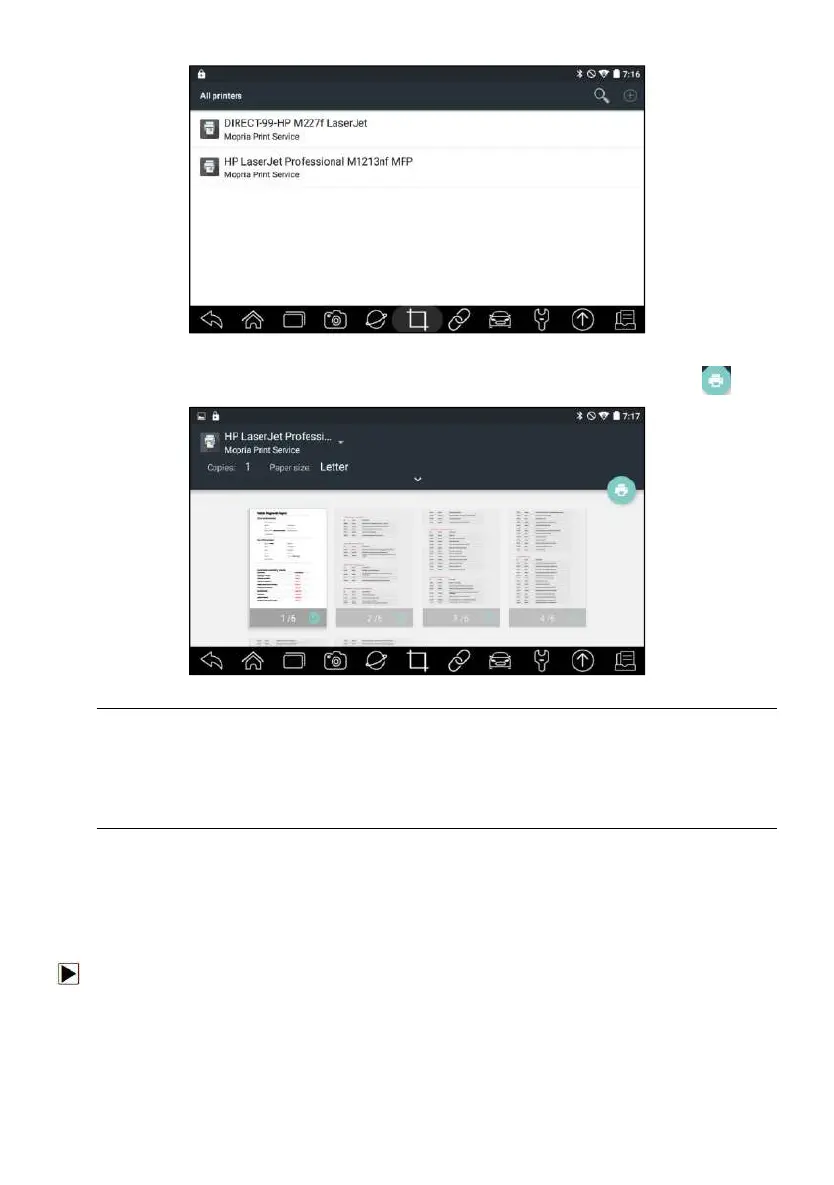
Figure 10-9 Sample of Printer Screen
5. Choose the file or report you want to print and press the print icon .
Figure 10-10 Sample of File Printing Screen
NOTE
1. Please make sure the printer and the GT60 in the same Wi-Fi or Network
when printing.
2. If Mopria Print Service driver can’t workable for your printer, please
download the driver to work for your printer on Print Service Manager.
10.9 About
Selecting About option opens a screen that shows information about the
GT60, such as serial number, hardware and software version and etc.
To view information of your scan tool:
1. Press About from home screen of the GT60 diagnostic application.
2. A screen with detailed information of the scanner displays.




 To Next Page