Installation and commissioning
19
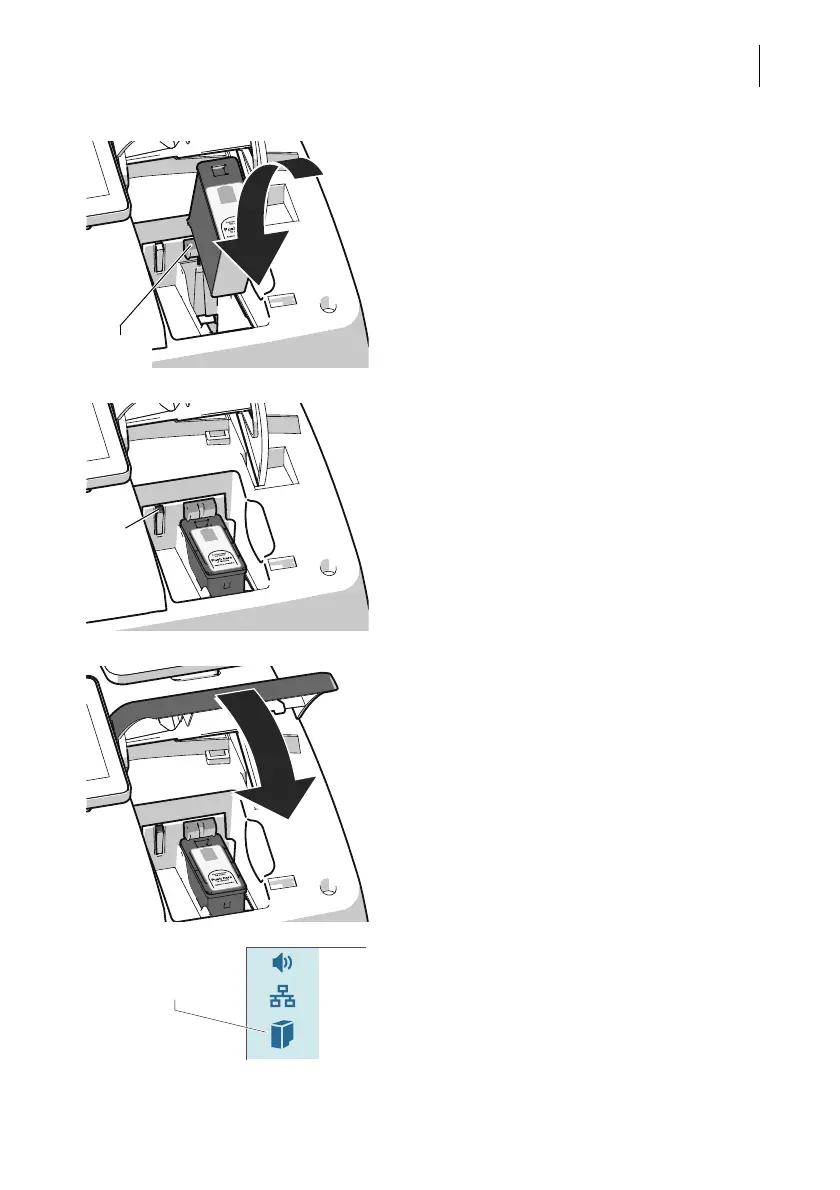
• Hold the ink cartridges so the contacts are
facing to the rear of the PostBase Vision.
The green arrow on the cartridge points to
the green catch on the cartridge holder.
• Insert the ink cartridge into the cartridge
holder.
• Press the ink cartridge down and click it
into place at the rear.
If the cartridge is inserted correctly, the green
LED lights up continuously.
• Close the cover flap of the print system:
In the area of the PostBase Vision logo,
press down the cover flap until the lock
engages.
Please wait: The PostBase Vision will now
prepare the cartridge for use.
PostBase Vision displays the “Full cartridge”
icon in the menu bar.



 To Next Page