MANAGING FRANKA RESEARCH 3
120010/1.0/EN Franka Emika GmbH © 166
14.5.2 Network Setting
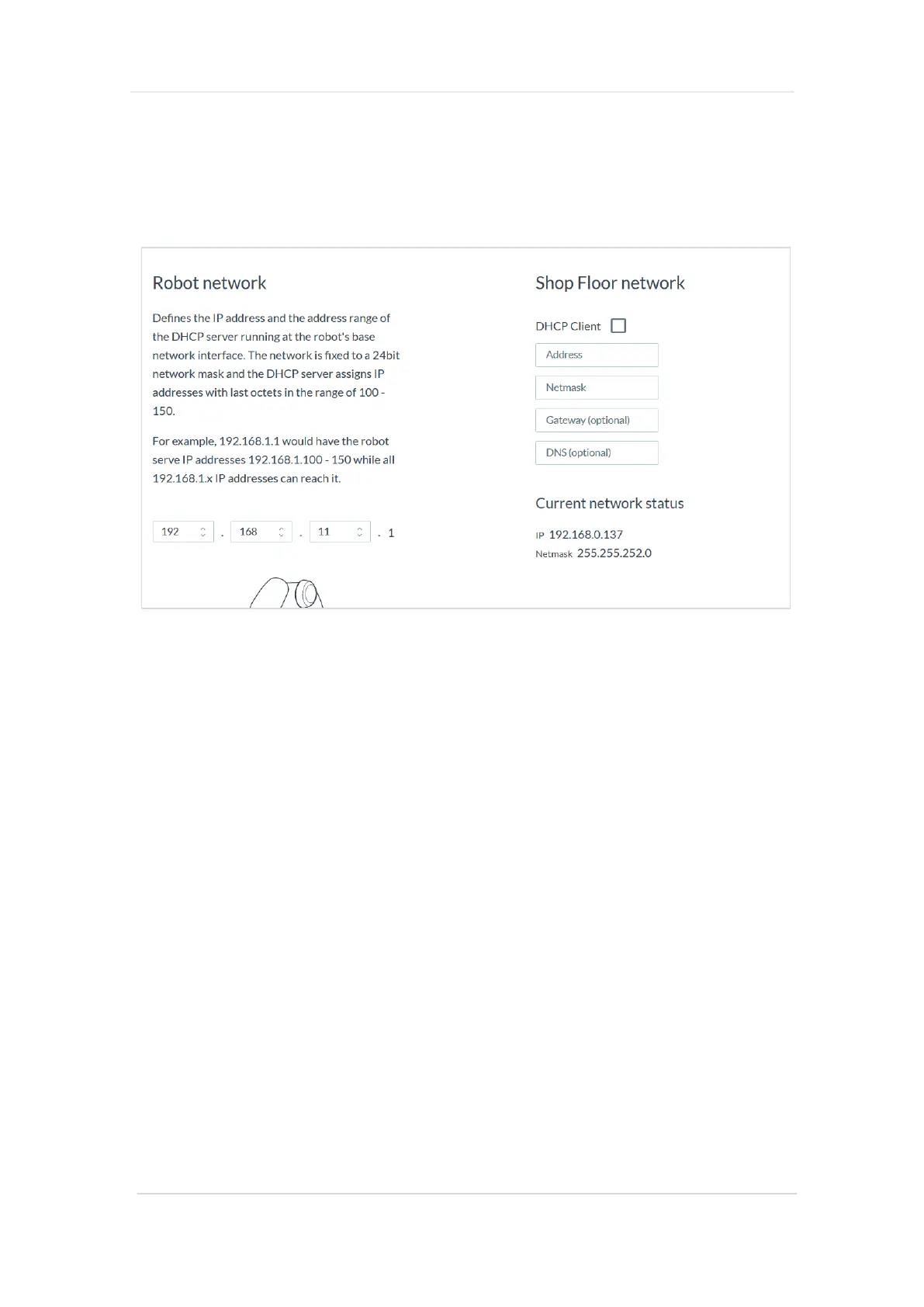
To save the network settings, proceed with the steps below:
✓ Open the „Settings“ on Desk
✓ Select „NETWORK“ tab
✓ Take a screenshot of this view and save it in the created backup directory.
Fig. 14.4: Network Settings
In case of necessary configuration recovery, the parameters listed in the screenshot must be entered
manually.
14.5.3 Modbus Configuration
To save the Modbus configuration, proceed with the steps below:
✓ Open the „Settings“ on Desk
✓ Select the „MODBUS TCP“ tab
✓ Clicking on „DOWNLOAD“ saves the Modbus configuration with the following name on the
connected user interface device: „modbus.json“
Save the downloaded file in the previously created backup directory.
Via the "UPLOAD" button you can restore a backup file of the Modbus configuration to the system again.
14.5.4 End Effector Configuration
To save the End effector configuration, proceed with the steps below:
✓ Open the „Settings“ on Desk
✓ Select the „END_EFFECTOR“ tab
✓ Click on the edit symbol next to „Mechanical Data“
✓ Clicking on „DOWNLOAD“ saves the Modbus configuration with the following name on the
connected user interface device: „endeffector-config.json“
Save the downloaded file in the previously created backup directory.
Via the "UPLOAD" button you can restore a backup file of the End effector configuration to the system again.



 To Next Page