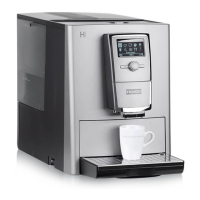
Cleaning instructions A300
2 Franke Kaffeemaschinen AG
– Inner surfaces and shelf (if applicable) in the cooling chamber
Starting the cleaning process
When the cleaning cycle is complete, the machine either switches back to the maintenance level or the
energy saving mode. Your service technician can set the desired option for you.
Starting cleaning via the Cleaning and Maintenance menu
Espresso Double Espresso 2 Espressos
Caffè Crema To Go Steam Tea water
1. Tap the Franke logo.
2. Enter the PIN (1111).
3. Press Ok.
4. Select Cleaning and maintenance.
Wipe protection
Filter water quantity
Rinsing the coffee machine
Cleaning the coffee
machine
Error/event log
Cleaning and maintenance
5. Select Clean coffee machine.
6. Confirm message with Yes to begin the
cleaning process.
7. Follow the instructions on the user interface
and confirm the completed steps by select-
ing Next.
ð The machine shows the next step.
Loosen bean hopper finger guard for cleaning
The bean hopper finger guard prevents injuries caused by the grinder. The finger guard may only be re-
moved for cleaning.
ü The coffee machine is switched off and dis-
connected from the power supply.
ü A hexalobular 10 screwdriver is provided.
1. Remove the container lid.
2. Loosen both screws [1] and remove the fin-
ger guard [2].
3. Clean the bean hopper and the protective
grid.
4. Attach the dried finger guard with both
screws.
5. Connect the coffee machine to the power
supply.



 To Next Page