Individualization and data transfer
Page 59
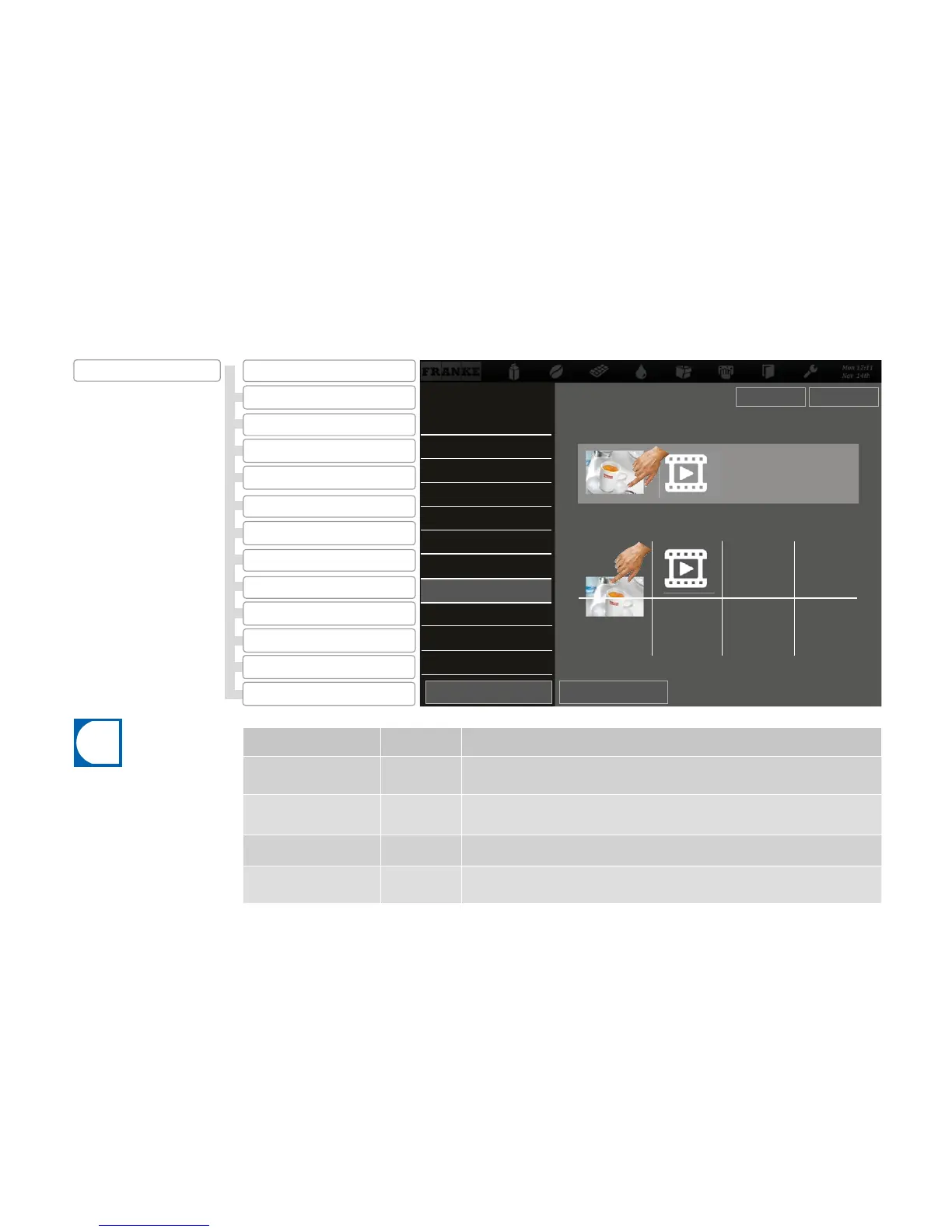
Desired action Menu item Information / Instruction
Using media
2.7
Tap the medium that you wish to use in the lower section and drag it to the top.
Removing used media
2.7
Tap a medium that you no longer wish to use in the upper section and drag it to the bottom.
Viewing selection
2.7
Select Preview to check your selection.
Activate advertising media
2.7
Select Change to activate the selected advertising media.
2.13 Confi gure application
2.12 My Product Images
2.8 Audio sequences
2.11 Sort Cash Register
2.5 Menu cards
2.10 Sort Quick Select
2.4My Screen Saver
2.7 My Advertising Media
2.2 Image carousel
2.6 Advertising media
2.1 Activate drinks
2.9 My Audio Sequences
2.3 Screen saver
2.10 Sort Quick Select
2.9 My Audio Sequences
2.8 Audio sequences
2.7 My Advertising Media
2.6 Advertising media
2.5 Menu cards
Available advertising images and videos
2.3 Screen saver
2.2 Image carousel
2.4 My Screen Saver
2.1 Activate drinks
Adapt depiction
Change Preview
Select images and videos with drag&drop 0 .. 50
My advertising media
2.7 My Advertising Media
2.3 Screen saver
2.4 My Screen Saver
The activated advertising media
can be switched on for each drink
by selecting My Settings > Set
Drinks.
2 Modify depiction
Confi guring your own advertising media
SaveBack



 To Next Page