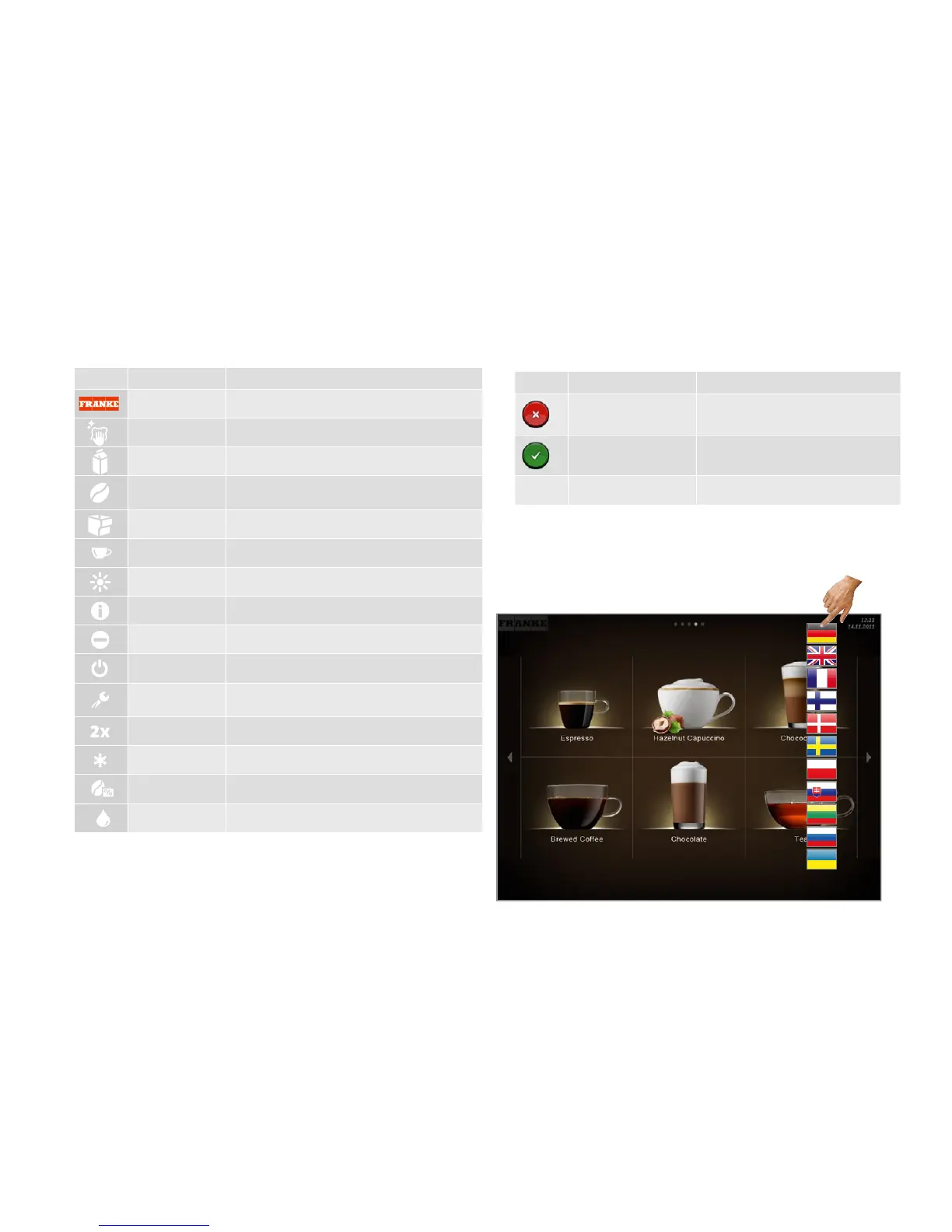
Explanation of symbols
Page 7
•Touch the fl ag
•Select the fl ag
The language is changed for the operating interface.
Switching language
Navigation
Symbol Name Description
Cancel button Cancel preparation
Start button Start preparation
Page backwards/forwards Scroll through menus with multiple pages.
Symbols used in the software
Symbols on the dashboard
Symbol Name Description
Franke Call up Maintenance level
Servicing/Cleaning Machine must be cleaned and/or serviced
Milk Milk container is empty or not installed correctly
Coff ee bean Bean hopper is empty or not installed correctly
Grounds container Grounds container must be emptied
Product
Brightness Set brightness
Info
Inactive
Standby Switch the machine to standby
Service/Confi gura-
tion/Administration
Double product Prepare double drink quantity (double dispensing)
Cold milk
Ground coff ee Selection button for ground coff ee
Extra Shot



 To Next Page