13
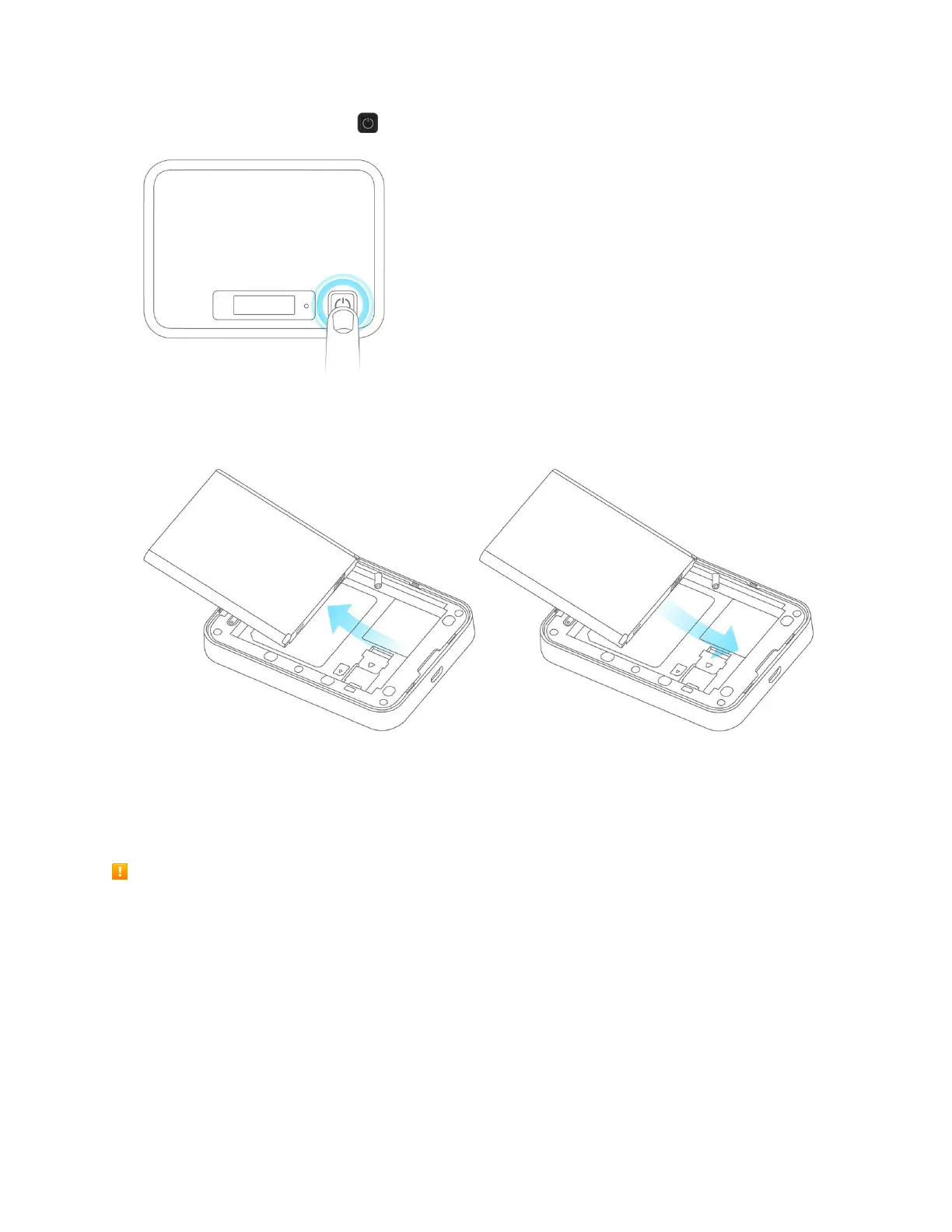
1. Press and hold the Power key to turn off the device before inserting or removing the battery.
2. Remove the battery cover.
3. Remove the battery / Insert the battery.
4. Replace the battery cover.
Charge the Battery
Follow these instructions to charge your device's battery using the included
AC adapter. Battery Charging Cautions
Charging Conditions: Under low temperatures charging performance decreases. Charge in
temperatures between 5°C ~ 35°C. Do not charge in places where there is high humidity. USB
charging may be unavailable depending on Wi-Fi router temperature.
Use Supplied Accessories: Always use the supplied AC adapter.
Precaution for Extended Use: Your device may become hot when used for a long time or while
charging, especially in high temperatures. Prolonged contact with skin may cause low-temperature
burn injuries.



 To Next Page