24
Connected Devices
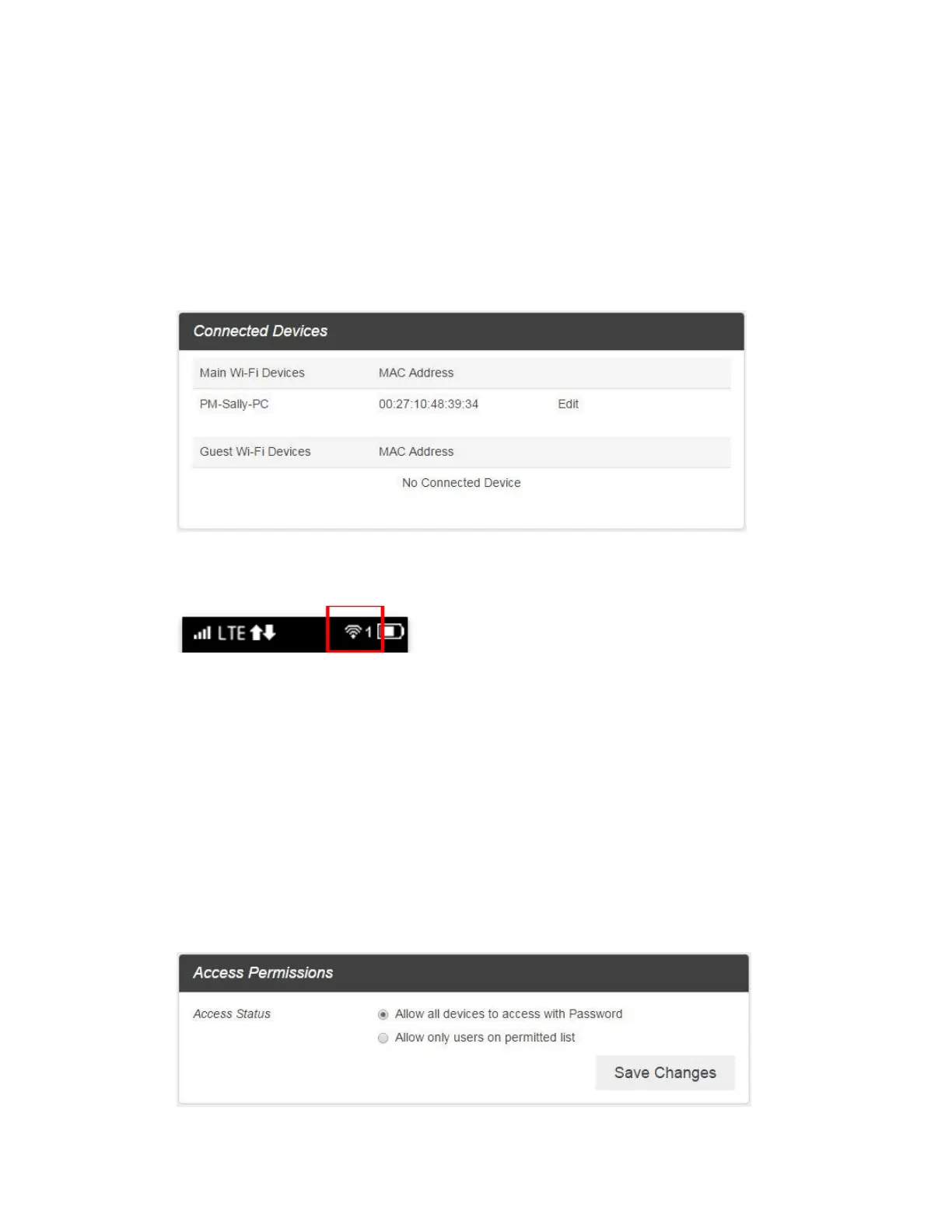
The Connected Devices tab lets you confirm the names and MAC addresses of devices currently
connected to your device and set access permissions.
Check the Connected Devices
■ From the Web UI, click Connected Devices > Connected to display the list of connected
devices.
From the device LCD, You can view Wi-Fi enabled devices currently connected to your Hotspot
on the display
Edit the Connected Device
1. Click the Edit button. A page opens allowing you to edit a Main Wi-Fi Devices.
2. You can change a devices name on the Main Wi-Fi Devices.
3. To save, click the OK button
Set Access Permissions
Control user's ability to access main or guest Wi-Fi. Changing this status will immediately update the
status of devices listed ability to access Wi-Fi from this device, even if they have the password.
1. From the Web UI, click Connected Devices > Access Permissions.



 To Next Page