18
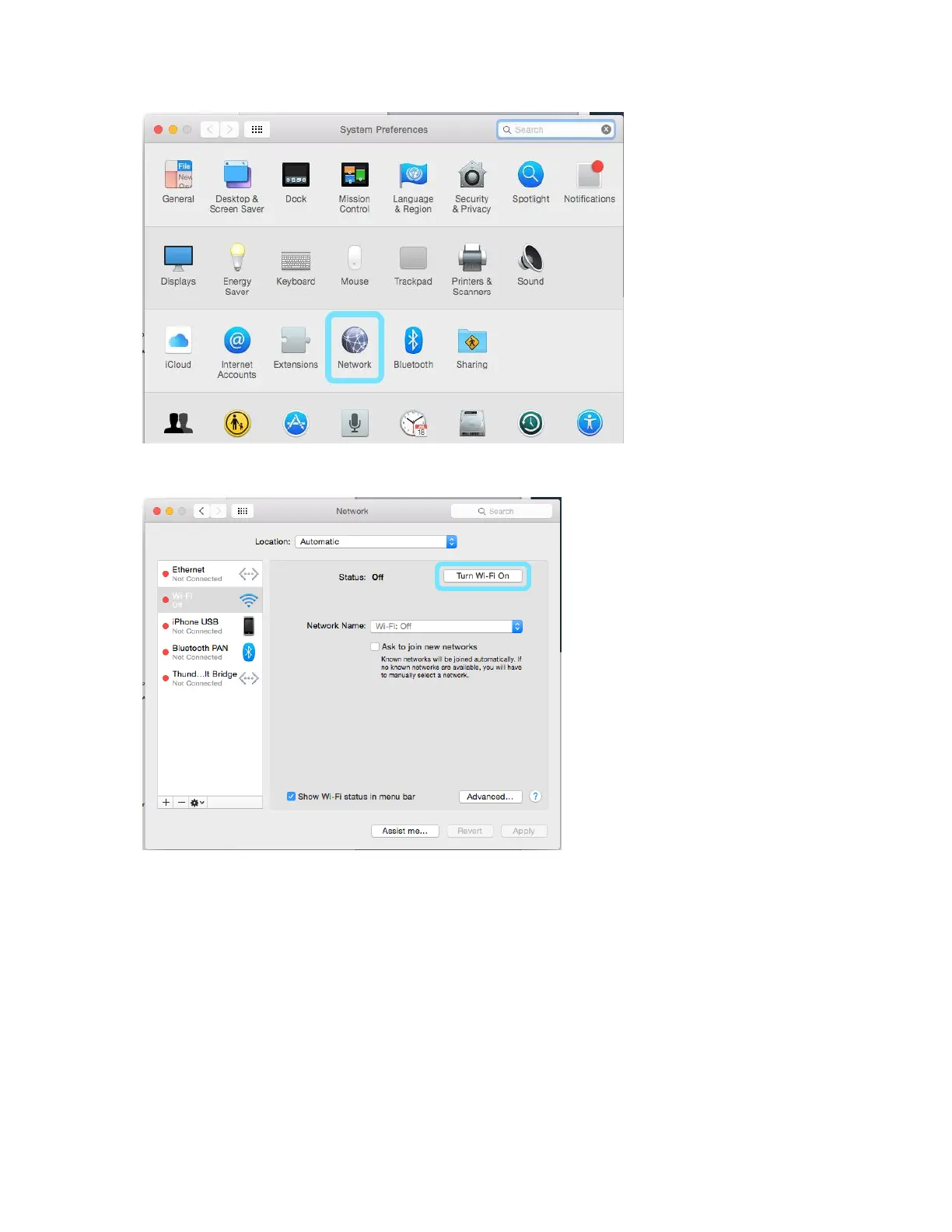
3. Click Wi-Fi > Turn Wi-Fi On.
Your computer's Wi-Fi function activates.
4. Select your R871's Wi-Fi Name (SSID) from the Network Name pull-down list.
5. Enter the Wi-Fi password in the Password field, check Remember this network, and then click Join.
The computer connects to your device. The connected status icon on your device will
show an additional device has been connected.
Connect iOS devices (iPhone/iPod Touch/iPad)
The following topics outline how to connect your iPhone, iPod Touch, or iPad to your device via Wi-Fi.



 To Next Page