3
X
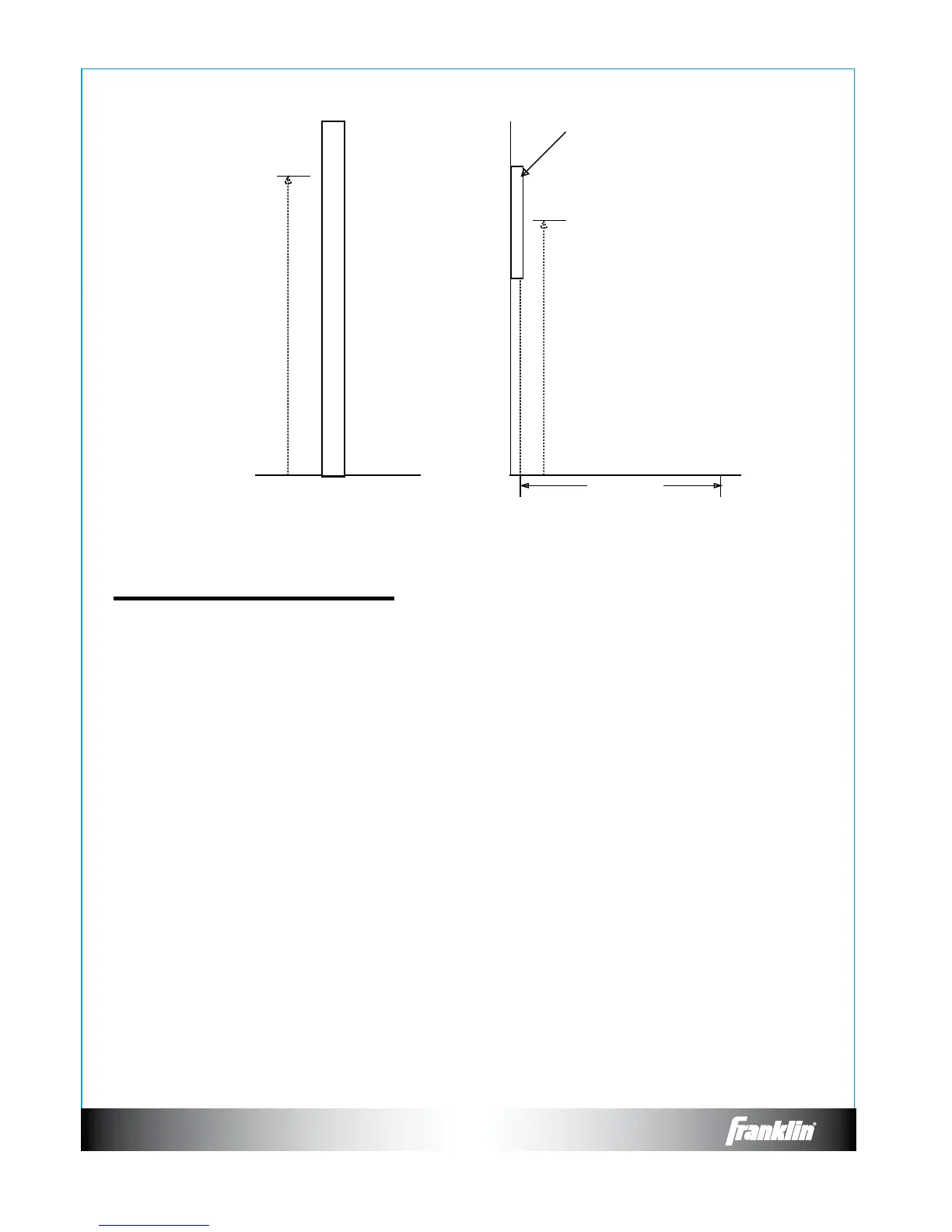
Wall Stud
Top Screw
76.75 in
(195 cm)
5 ft 8 in (1.8 m) from
Floor to Center of Bullseye
Dartboard
Floor
7 ft 9 1/4 in
(2.41m)
Toe Line
POWER button - Located on the lower right corner of the dartboard (when doors are open). Be
sure the AC Adapter is plugged into the jack on the right side of the dartboard. Press the
108&3CVUUPOUPUVSOHBNFPOPSPò
GAME GUARD button – Press to activate Game Guard Feature (see page 7 for instructions)
SOUND button – Press continually to set desired volume level or mute.
DOUBLE/MISS button5IJTCVUUPOJTVTFEUPBDUJWBUFUIF%PVCMF*O%PVCMF0VUBOE.BTUFS
Out options for the “01” games. This function is only active when selecting 301, 401, etc. games.
5IF.*44GFBUVSFJTBDUJWFEVSJOHQMBZPGBOZHBNF1SFTTCVUUPOUPSFHJTUFSBiNJTTFEwEBSU
Player can press when dart lands outside target area so computer registers a thrown dart.
DART-OUT/SCORE button - The dart-out feature is active only during the “01” games (301, 401,
FUD8IFOBQMBZFSTTDPSFGBMMTCFMPXIFTIFDBOQSFTTUIF%"35065CVUUPOUPHFUB
suggestion from the dartboard as to the 3 darts needed to nish the game. Note: doubles and
USJQMFTBSFJOEJDBUFEXJUIBOEEBTIFTUPUIFMFGUPGUIFOVNCFSSFTQFDUJWFMZ5IF4$03&
feature allows player to access score not current on display.
Dartboard Functions:


 To Next Page