5
Display Protective Film:
This electronic dartboard may have a clear lm over the entire display area and over the
button area to prevent scratching during shipping. It is recommended that you remove this
öMNTPEJTQMBZJTFBTJFSUPSFBE5PSFNPWFTJNQMZMJGUFEHFQFFMPòBOEEJTDBSE
Never use metal tipped darts on this dartboard.FUBMUJQQFEEBSUTXJMMTFSJPVTMZEBNBHF
the circuitry and electronic operation of this dartboard.
Do not use excessive force when throwing darts. Throwing darts too hard will cause
GSFRVFOUUJQCSFBLBHFBOEDBVTFFYDFTTXFBSPOUIFCPBSE
Turn darts clockwise as you pull them from the board. This makes it easier to remove darts
BOEFYUFOETUIFMJGFPGUIFUJQT
Caring for your Electronic Dartboard:
Game Guard Feature:
After the STARTCVUUPOIBTCFFOQSFTTFEBOEQMBZIBTCFHVOUIF(".&(6"3%GFBUVSF
can be activated. When the button is pressed, all of the keys will ‘lock’. When Game Guard is
BDUJWFBNJTHVJEFEEBSUIJUUJOHBCVUUPOXJMMOPUBòFDUJOHZPVSHBNF5PEFBDUJWBUFUIF(BNF
Guard, simply press the button again and the keys will unlock.
Press START/HOLD button (red) to activate game and begin play.
Throw darts
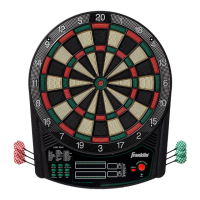
t5IFEBSUJOEJDBUPSEJTQMBZJTMPDBUFEBCPWFUIFOVNCFSTJOUIF-&%EJTQMBZT
The lights indicate the number of darts thrown in the round.
t8IFOBMMEBSUTIBWFCFFOUISPXOBWPJDFDPNNBOEXJMMJOEJDBUF
i3FNPWF%BSUTwBOEUIFTDPSFXJMMøBTI5IFEBSUTDBOOPXCFSFNPWFE
XJUIPVUBòFDUJOHUIFFMFDUSPOJDTDPSJOH8IFOBMMEBSUTBSFSFNPWFEGSPN
the playing surface press the STARTCVUUPOUPHPUPOFYUQMBZFS7PJDF
command will indicate which player is up. Also, the player indicator lights
will illuminate to show which player’s turn it is.


 To Next Page