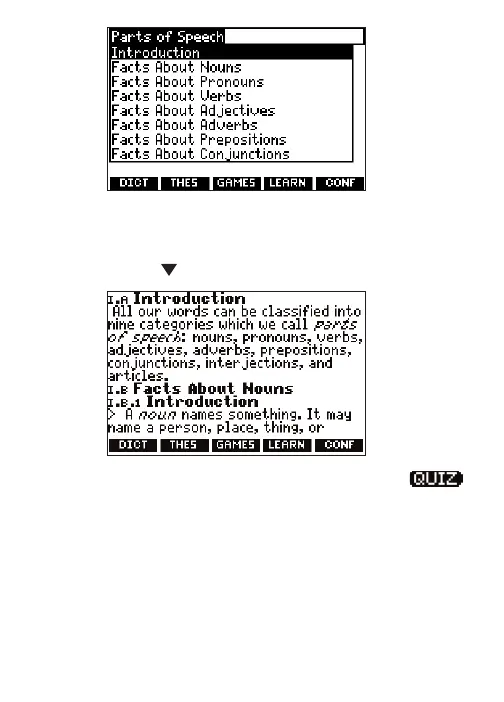
4. If necessary, highlight the sub-topic you
want and press ENTER.
5. Press or SPACE to read.
To take a grammar quiz, highlight ,
press ENTER and follow the instructions
on the screen. To exit the grammar quiz,
press BACK.
6. Press BACK to return to the list of topics.
Press CLEAR to go to the dictionary
Word Entry screen.
39






 To Next Page